Jump to content
View in the app

A better way to browse. Learn more.

GGames Fórum

A full-screen app on your home screen with push notifications, badges and more.

To install this app on iOS and iPadOS
  1. Tap the Share icon in Safari
  2. Scroll the menu and tap Add to Home Screen.
  3. Tap Add in the top-right corner.
To install this app on Android
  1. Tap the 3-dot menu (⋮) in the top-right corner of the browser.
  2. Tap Add to Home screen or Install app.
  3. Confirm by tapping Install.

Como adicionar uma pessoa a mais em uma conversa privada

Recebeu uma mensagem e quer adicionar mais alguém? É bem simples.
https://g.ggames.com.br/tutorials/article/521-como-adicionar-uma-pessoa-a-mais-em-uma-conversa-privada/

Se você iniciou uma conversa privada com um amigo e deseja colocar mais alguém de interesse nessa mesma conversa é simples, basta fazer o seguinte.

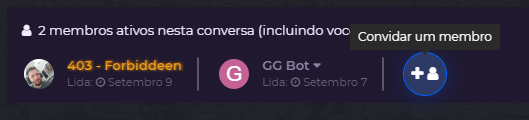
  1. Acesse a mensagem postal em questão.
    image.png
  2. Clique em convidar um membro
    image.png]
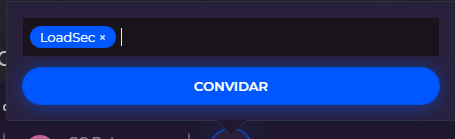
  3. Digite o nick dele e aperte convidar
    image.png
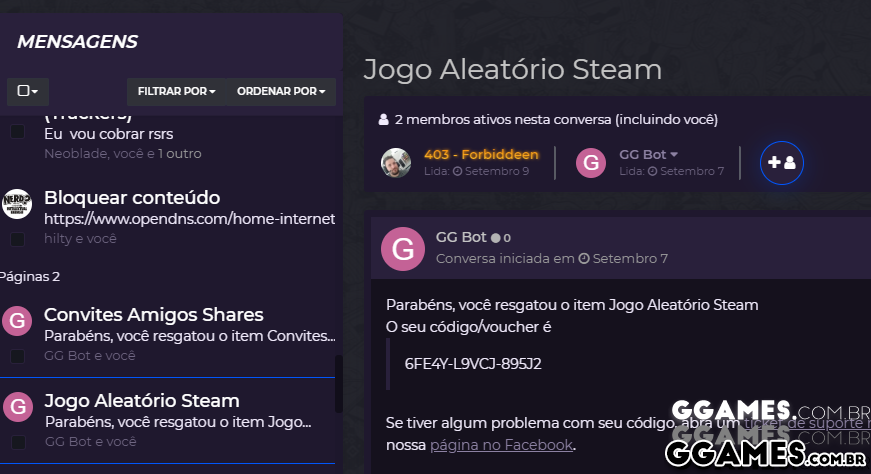
  4. Prontinho, agora ele faz parte dessa conversa!
https://g.ggames.com.br/tutorials/article/521-como-adicionar-uma-pessoa-a-mais-em-uma-conversa-privada/

User Feedback

Recommended Comments

Marcelonico

Membro

muitissimo obrigado...

ttavares

Membro

otimo comentario


Kira3l

Leecher

Otima explicação.

Thalecco

Membro

Muito bom

caitano

Membro

Estava em dúvida nisso, agora não erro mais.

terahertz

VIP Lifetime

  • VIP Lifetime

Grande ajuda, valeu ? 

jespher88

Leecher

Será de grande ajuda, muitissímo obrigado!

ELMATHS

Membro

Valeu pela explicação.

Create an account or sign in to comment

Configure browser push notifications

Chrome (Android)
  1. Tap the lock icon next to the address bar.
  2. Tap Permissions → Notifications.
  3. Adjust your preference.
Chrome (Desktop)
  1. Click the padlock icon in the address bar.
  2. Select Site settings.
  3. Find Notifications and adjust your preference.