Ir para conteúdo
View in the app

A better way to browse. Learn more.

GGames Fórum

A full-screen app on your home screen with push notifications, badges and more.

To install this app on iOS and iPadOS
  1. Tap the Share icon in Safari
  2. Scroll the menu and tap Add to Home Screen.
  3. Tap Add in the top-right corner.
To install this app on Android
  1. Tap the 3-dot menu (⋮) in the top-right corner of the browser.
  2. Tap Add to Home screen or Install app.
  3. Confirm by tapping Install.

Como descobrir seu IP online!

Já precisou descobrir seu IP e não sabia como? É mais fácil do que parece!
https://g.ggames.com.br/tutorials/article/1629-como-descobrir-seu-ip-online/
  1. Acesse o site Qual é Meu IP?

  2. Após entrar nele, você verá um número enorme em destaque.
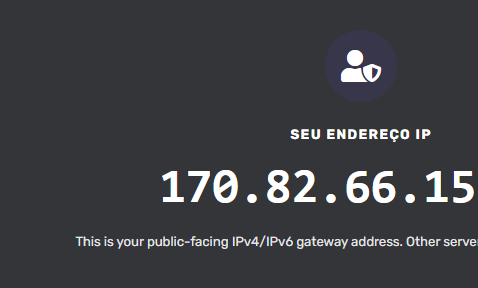
    image.png

  3. É só anotar e ser feliz!

Normalmente eu uso esse ferramenta para desbloquear acessos aos meus servidores ou quando eu vou jogar online e crio um servidor no meu IP.

https://g.ggames.com.br/tutorials/article/1629-como-descobrir-seu-ip-online/

Feedback do Usuário

Comentários Recomendados

Não há comentários para mostrar.

Crie uma conta ou entre para comentar

Configure browser push notifications

Chrome (Android)
  1. Tap the lock icon next to the address bar.
  2. Tap Permissions → Notifications.
  3. Adjust your preference.
Chrome (Desktop)
  1. Click the padlock icon in the address bar.
  2. Select Site settings.
  3. Find Notifications and adjust your preference.