


Se você comercializa itens ÚNICOS em sua loja virtual, não faz sentido exibir o campo QUANTIDADE. É bem fácil esconder o campo para TODOS OS PRODUTOS.
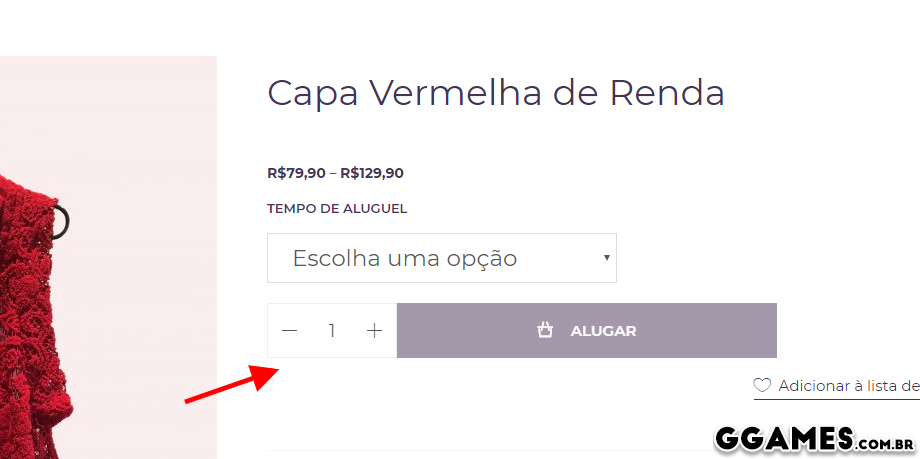
1. Copie e cole o código abaixo e insira-o no final do FUNCTIONS.PHP do seu tema.
/**
 * @desc Remove in all product type
 */
function wc_remove_all_quantity_fields( $return, $product ) {
    return true;
}
add_filter( 'woocommerce_is_sold_individually', 'wc_remove_all_quantity_fields', 10, 2 );
Resultado.
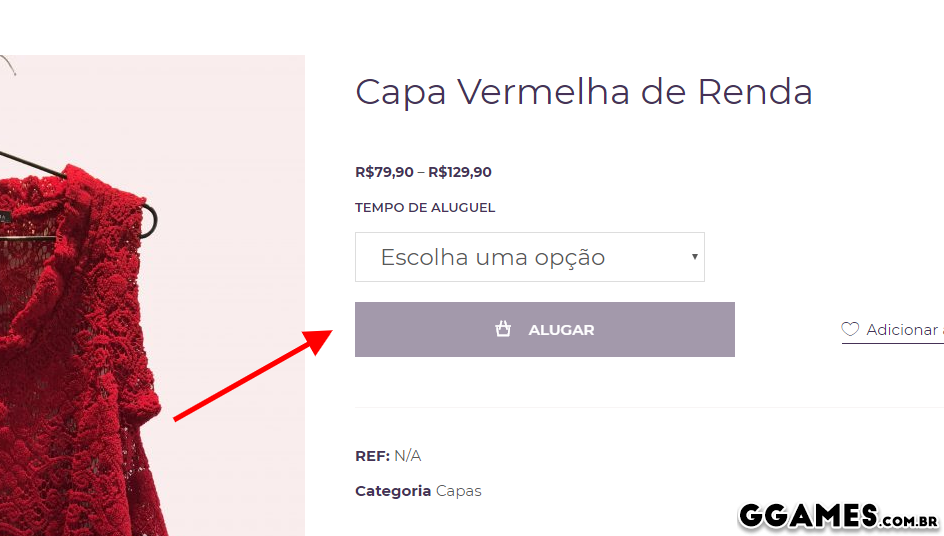
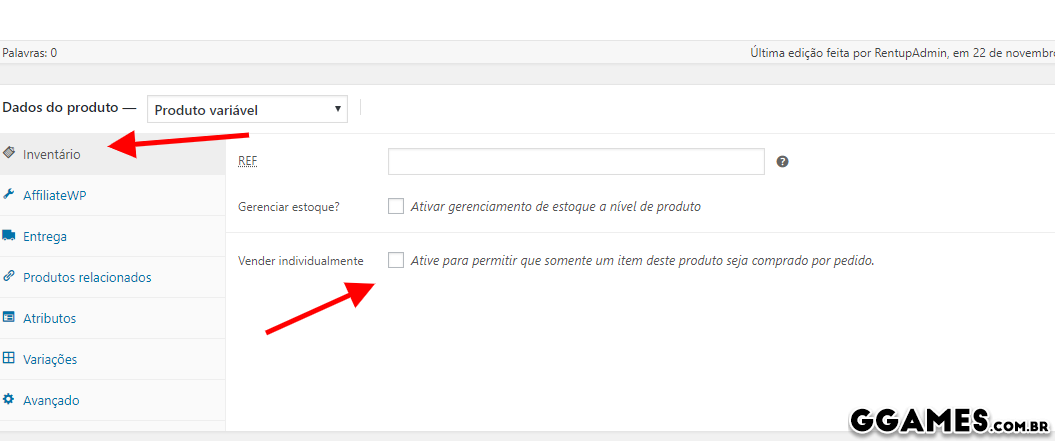
Também vai sumir do checkout! Agora se você quer tirar a opção de quantidade de produtos específicos, não de todos... é possível também - antes de tudo não use o código acima em seu functions.
1. Acesse o produto desejado em PRODUTOS > LISTA DE PRODUTOS.
2. em INVENTÁRIO, marque a opção VENDER INDIVIDUALMENTE.
Créditos: Código fonte é do stackoverflow, texto e imagens por mim.
Comentários Recomendados
Crie uma conta ou entre para comentar