Ir para conteúdo
View in the app

A better way to browse. Learn more.

GGames Fórum

A full-screen app on your home screen with push notifications, badges and more.

To install this app on iOS and iPadOS
  1. Tap the Share icon in Safari
  2. Scroll the menu and tap Add to Home Screen.
  3. Tap Add in the top-right corner.
To install this app on Android
  1. Tap the 3-dot menu (⋮) in the top-right corner of the browser.
  2. Tap Add to Home screen or Install app.
  3. Confirm by tapping Install.

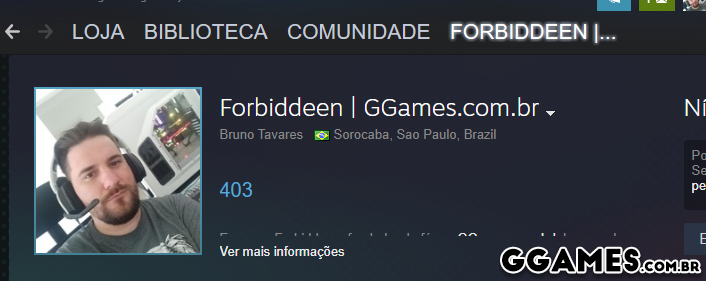
Coloque como sufixo o nome GGames em seu nick do Steam [60 GCoins]

Postado
  • Fundador

Plataforma: Steam
Nível: Fácil
Ação: Coloque como prefixo ou sufixo o nome do GGames em seu nick, deve manter por 1 mês. O prêmio é renovável, então após 1 mês pode reivindica-lo novamente nesse tópico. (Como trocar)
Prêmio: 40 GCoins por GGames e 60 GCoins por GGames.com.br
image.png

Após realizar essa ação, comente nesse tópico com o PRINTSCREEN do compartilhamento, a transferência será realizada imediatamente.


Antes de perguntar, visite a Wiki GGames | Ajude-se a manter o fórum se tornando VIP e ganhe convites! 

Junta-se ao Telegram Oficial do GGames, lá pode falar de tudo! | Clique aqui


  • Respostas 59
  • Visualizações 614
  • Criado
  • Última resposta

Posts Recomendados

Postado

Este é um conteúdo oculto, por favor

  • 1 mês depois...
  • 1 ano depois...
Postado
  • VIP Vitalício

Este é um conteúdo oculto, por favor

  • 3 semanas depois...
  • 8 meses depois...
Postado

Feito!

steam.png

  • 3 semanas depois...
Postado

spacer.png

  • 2 meses depois...

Arquivado

Este tópico foi arquivado e está fechado para novas respostas.

Configure browser push notifications

Chrome (Android)
  1. Tap the lock icon next to the address bar.
  2. Tap Permissions → Notifications.
  3. Adjust your preference.
Chrome (Desktop)
  1. Click the padlock icon in the address bar.
  2. Select Site settings.
  3. Find Notifications and adjust your preference.