





Pessoal, através desse código você será capaz de exibir os atributos dos seus produtos após a breve descrição. A vantagem é que você evita que um cliente mal avisado questione o produto que comprou.
Exemplo: Como pode notar, as informações adicionais estão acima do botão comprar.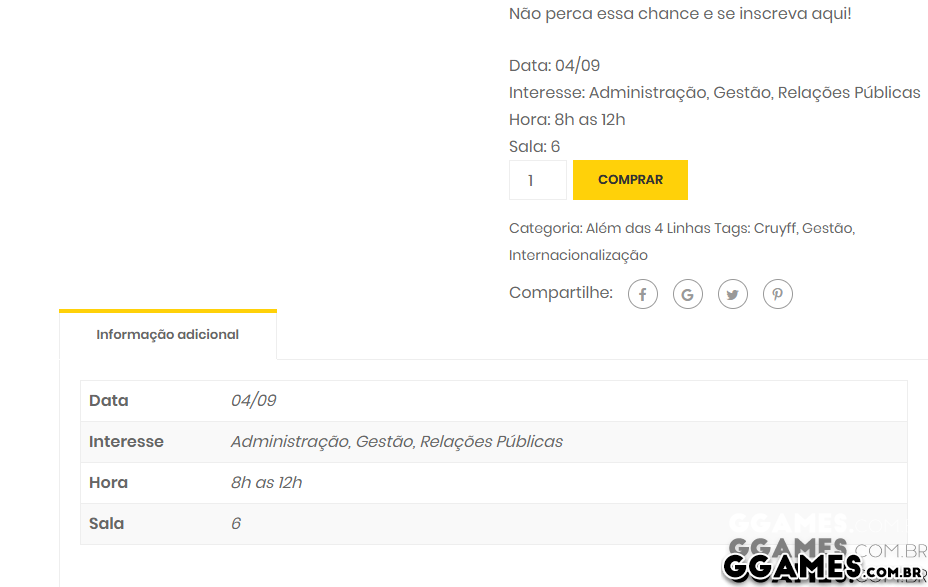
Para usar, é só copiar e colar esse código no arquivo functions.php localizado na raiz do seu tema.
function cw_woo_attribute(){
    global $product;
    $attributes = $product->get_attributes();
    if ( ! $attributes ) {
        return;
    }

    $display_result = '';

    foreach ( $attributes as $attribute ) {


        if ( $attribute->get_variation() ) {
            continue;
        }
        $name = $attribute->get_name();
        if ( $attribute->is_taxonomy() ) {

            $terms = wp_get_post_terms( $product->get_id(), $name, 'all' );

            $cwtax = $terms[0]->taxonomy;

            $cw_object_taxonomy = get_taxonomy($cwtax);

            if ( isset ($cw_object_taxonomy->labels->singular_name) ) {
                $tax_label = $cw_object_taxonomy->labels->singular_name;
            } elseif ( isset( $cw_object_taxonomy->label ) ) {
                $tax_label = $cw_object_taxonomy->label;
                if ( 0 === strpos( $tax_label, 'Product ' ) ) {
                    $tax_label = substr( $tax_label, 8 );
                }
            }
            $display_result .= $tax_label . ': ';
            $tax_terms = array();
            foreach ( $terms as $term ) {
                $single_term = esc_html( $term->name );
                array_push( $tax_terms, $single_term );
            }
            $display_result .= implode(', ', $tax_terms) .  '<br />';

        } else {
            $display_result .= $name . ': ';
            $display_result .= esc_html( implode( ', ', $attribute->get_options() ) ) . '<br />';
        }
    }
    echo $display_result;
}

add_action('woocommerce_single_product_summary', 'cw_woo_attribute', 25);
O código eu peguei daqui.
Comentários Recomendados
Crie uma conta ou entre para comentar