Ir para conteúdo
View in the app

A better way to browse. Learn more.

GGames Fórum

A full-screen app on your home screen with push notifications, badges and more.

To install this app on iOS and iPadOS
  1. Tap the Share icon in Safari
  2. Scroll the menu and tap Add to Home Screen.
  3. Tap Add in the top-right corner.
To install this app on Android
  1. Tap the 3-dot menu (⋮) in the top-right corner of the browser.
  2. Tap Add to Home screen or Install app.
  3. Confirm by tapping Install.

É bem simples;

1. Faça o download do XML da nova atualização.

2. Acesse o ADMINCP vá em Customizações > Temas. Localize o tema desejado, clique na seta para baixo e clique em UPLOAD DE NOVA VERSÃO.
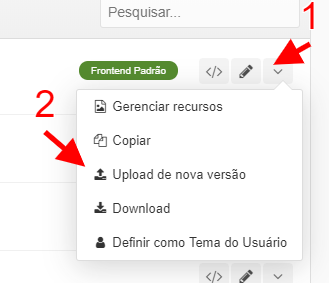
image.png

3. Localize o XML em seu computador e depois clique em UPLOAD.
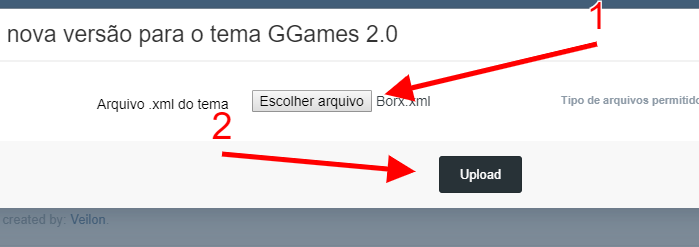
image.png

4. Se você customizou seu tema, ele vai perguntar qual versão deseja usar a ORIGINAL ou a CUSTOMIZADA. Eu irei usar a customizada.
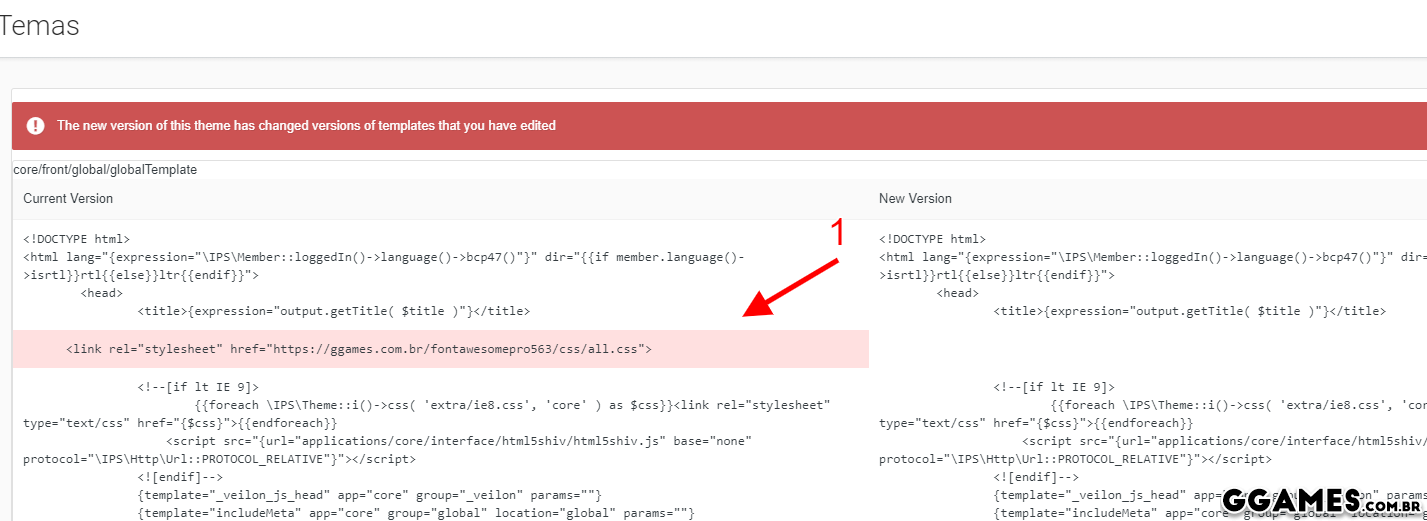
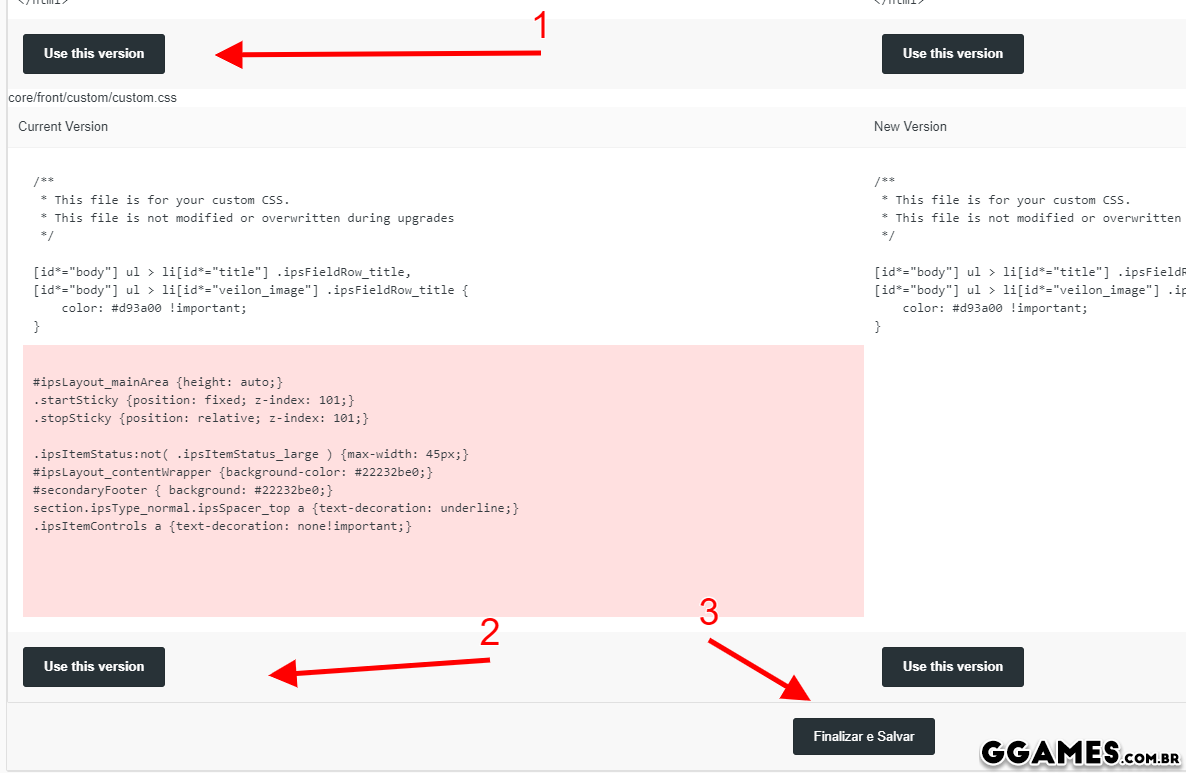
image.png

image.png

5. Prontinho, tema atualizado e corrigido! 
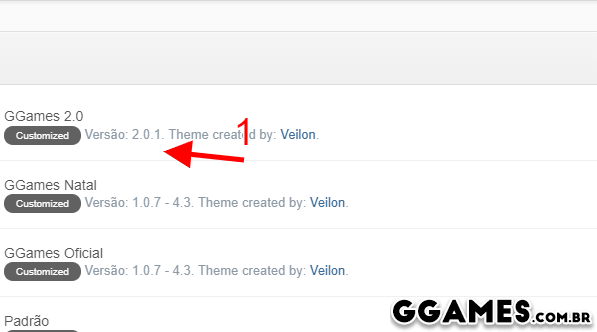
image.png

Feedback do Usuário

Comentários Recomendados

Não há comentários para mostrar.

Crie uma conta ou entre para comentar

Configure browser push notifications

Chrome (Android)
  1. Tap the lock icon next to the address bar.
  2. Tap Permissions → Notifications.
  3. Adjust your preference.
Chrome (Desktop)
  1. Click the padlock icon in the address bar.
  2. Select Site settings.
  3. Find Notifications and adjust your preference.