Ir para conteúdo
View in the app

A better way to browse. Learn more.

GGames Fórum

A full-screen app on your home screen with push notifications, badges and more.

To install this app on iOS and iPadOS
  1. Tap the Share icon in Safari
  2. Scroll the menu and tap Add to Home Screen.
  3. Tap Add in the top-right corner.
To install this app on Android
  1. Tap the 3-dot menu (⋮) in the top-right corner of the browser.
  2. Tap Add to Home screen or Install app.
  3. Confirm by tapping Install.

Pessoal, esse é um tutorial bem básico... mas eu julgo fundamental ter no fórum! Principalmente para quem tem o habito de instalar um monte de coisas que não usam.

Vamos ao tutorial.

1. Vai no meu iniciar e digite 'painel', em seguida abra o painel de controle.
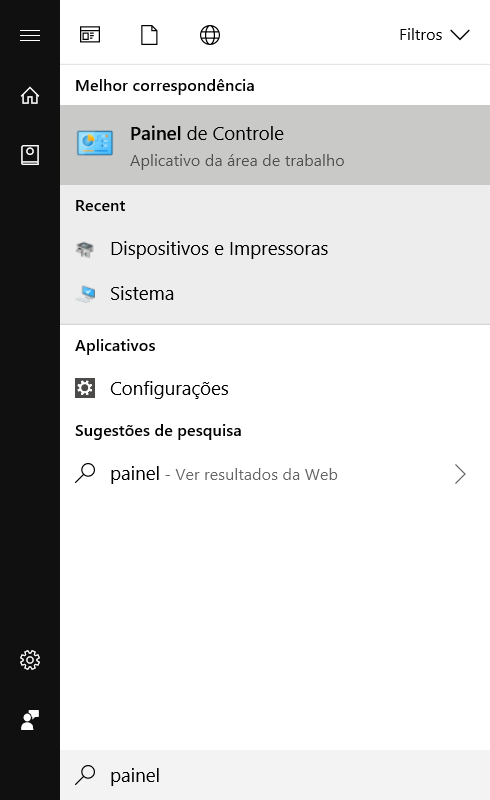
image.png

2. Feito isso clique em HARDWARE E SONS e em seguida DISPOSITIVOS E IMPRESSORAS.
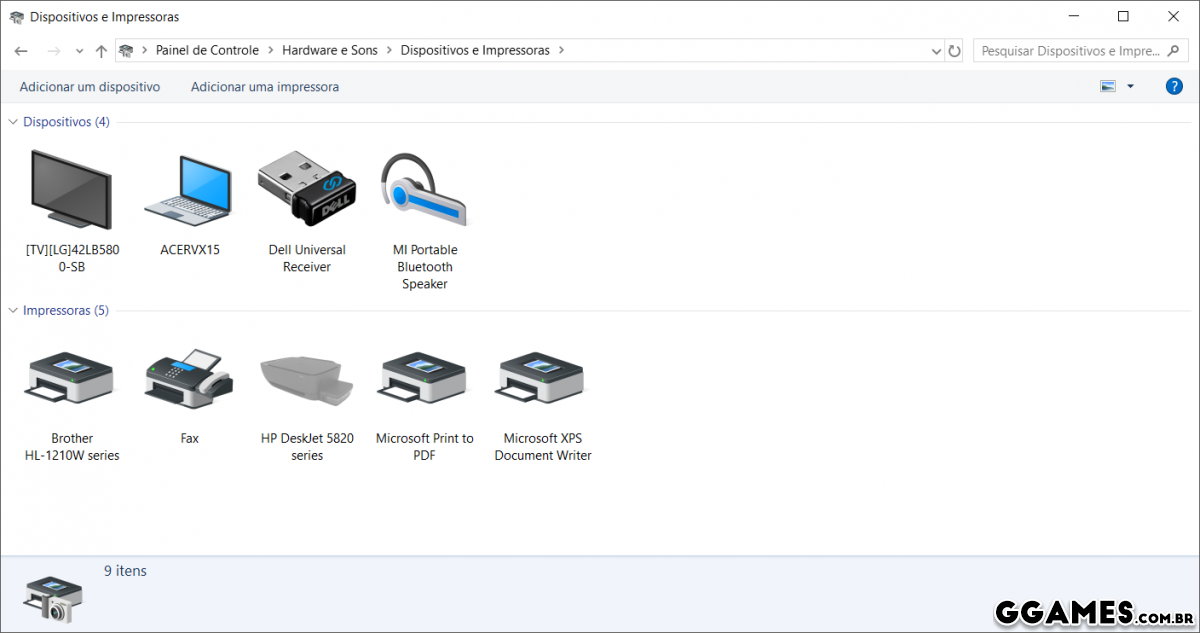
image.png

3. Localize a impressora que deseja remover, no meu caso é a HP DESKJET 5820, dê botão direito do mouse sobre ela e em seguida aperte REMOVER DISPOSITIVO, confirme e deixe o Windows fazer o restante.

É isso, espero que tenha ajudado.
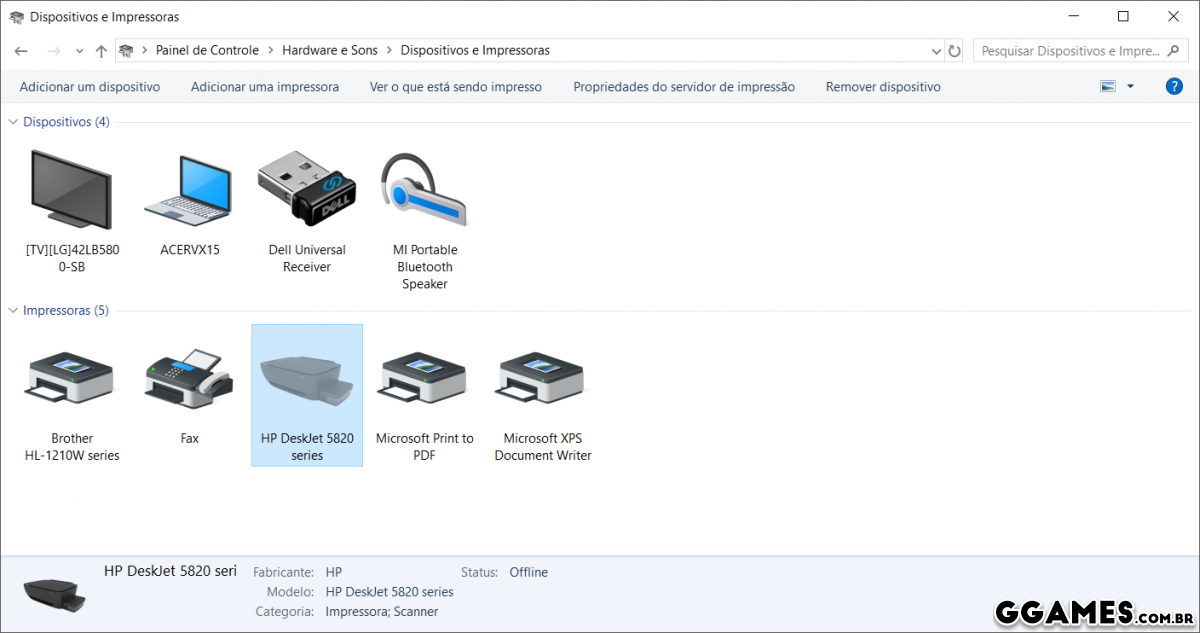
image.png

Feedback do Usuário

Comentários Recomendados

Não há comentários para mostrar.

Crie uma conta ou entre para comentar

Configure browser push notifications

Chrome (Android)
  1. Tap the lock icon next to the address bar.
  2. Tap Permissions → Notifications.
  3. Adjust your preference.
Chrome (Desktop)
  1. Click the padlock icon in the address bar.
  2. Select Site settings.
  3. Find Notifications and adjust your preference.