

Jump to content
View in the app

A better way to browse. Learn more.

GGames Fórum

A full-screen app on your home screen with push notifications, badges and more.

To install this app on iOS and iPadOS
  1. Tap the Share icon in Safari
  2. Scroll the menu and tap Add to Home Screen.
  3. Tap Add in the top-right corner.
To install this app on Android
  1. Tap the 3-dot menu (⋮) in the top-right corner of the browser.
  2. Tap Add to Home screen or Install app.
  3. Confirm by tapping Install.

Trainer Wolfenstein Youngblood {FLiNG} +16 v1.0-v1.0.5

(0 reviews)
https://g.ggames.com.br/files/file/788-trainer-wolfenstein-youngblood-fling/

1 Screenshot

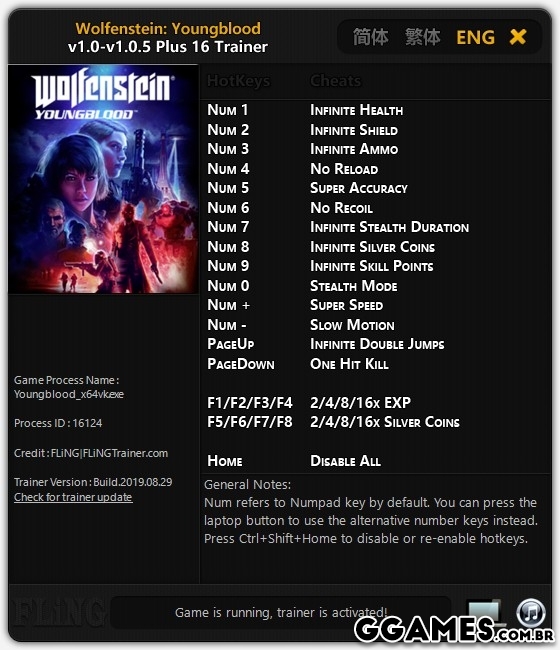
Trainer options

  • Num 1 – Infinite Health
  • Num 2 – Infinite Shield
  • Num 3 – Infinite Ammo
  • Num 4 – No Reload
  • Num 5 – Super Accuracy
  • Num 6 – No Recoil
  • Num 7 – Infinite Stealth Duration
  • Num 8 – Infinite Silver Coins
  • Num 9 – Infinite Skill Points
  • Num 0 – Stealth Mode
  • Num + – Super Speed
  • Num – – Slow Motion
  • PageUp – Infinite Double Jumps
  • PageDown – One Hit Kill
  • F1/F2/F3/F4 – 2/4/8/16x EXP
  • F5/F6/F7/F8 – 2/4/8/16x Silver Coins
  • Home – Disable All

Boa Jogatina!

#Snikt

https://g.ggames.com.br/files/file/788-trainer-wolfenstein-youngblood-fling/

User Feedback

You may only provide a review once you have downloaded the file.

There are no reviews to display.

Configure browser push notifications

Chrome (Android)
  1. Tap the lock icon next to the address bar.
  2. Tap Permissions → Notifications.
  3. Adjust your preference.
Chrome (Desktop)
  1. Click the padlock icon in the address bar.
  2. Select Site settings.
  3. Find Notifications and adjust your preference.