Jump to content
View in the app

A better way to browse. Learn more.

GGames Fórum

A full-screen app on your home screen with push notifications, badges and more.

To install this app on iOS and iPadOS
  1. Tap the Share icon in Safari
  2. Scroll the menu and tap Add to Home Screen.
  3. Tap Add in the top-right corner.
To install this app on Android
  1. Tap the 3-dot menu (⋮) in the top-right corner of the browser.
  2. Tap Add to Home screen or Install app.
  3. Confirm by tapping Install.

1 Screenshot

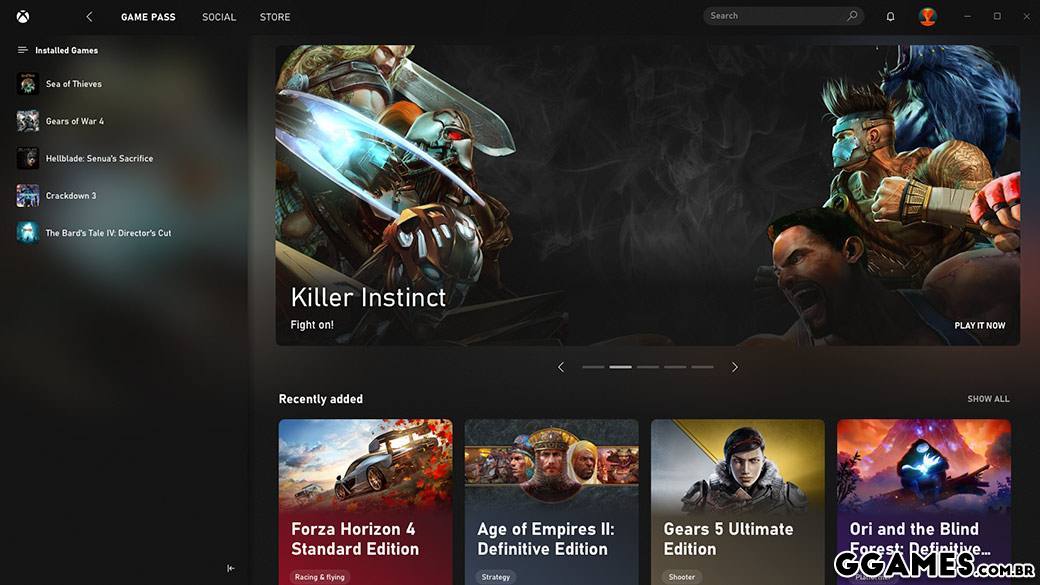
Apresentação do novo app Xbox para computador Windows 10

Descubra e baixe novos jogos com o Xbox Game Pass. Veja o que seus amigos estão jogando e converse com eles por meio do console Xbox, celular e computador.

  • SO: Windows 10 (v. 1903 ou superior obrigatória)
  • Processador: Intel Core i5-8300H; AMD Ryzen 5 3550H
  • GPU: NVIDIA GTX 1050; AMD Radeon RX 560
  • Memória: 8 GB de RAM, 3 GB de VRAM
  • Armazenamento: 150GB
  • DirectX®: DirectX 12 API
  • Monitor: 1080p
  • Escalas de desempenho com sistemas mais avançados
  • Não compatível com Windows 10S

44.jpg

What's New in Version 1.0.0

See changelog

Released

Novo Ícone e uma foto ilustrativa de como é o programa!
 

User Feedback

You may only provide a review once you have downloaded the file.


Tenho game pass e deu até pra beixar jogos Beleza!!!!

Configure browser push notifications

Chrome (Android)
  1. Tap the lock icon next to the address bar.
  2. Tap Permissions → Notifications.
  3. Adjust your preference.
Chrome (Desktop)
  1. Click the padlock icon in the address bar.
  2. Select Site settings.
  3. Find Notifications and adjust your preference.