Jump to content
View in the app

A better way to browse. Learn more.

GGames Fórum

A full-screen app on your home screen with push notifications, badges and more.

To install this app on iOS and iPadOS
  1. Tap the Share icon in Safari
  2. Scroll the menu and tap Add to Home Screen.
  3. Tap Add in the top-right corner.
To install this app on Android
  1. Tap the 3-dot menu (⋮) in the top-right corner of the browser.
  2. Tap Add to Home screen or Install app.
  3. Confirm by tapping Install.

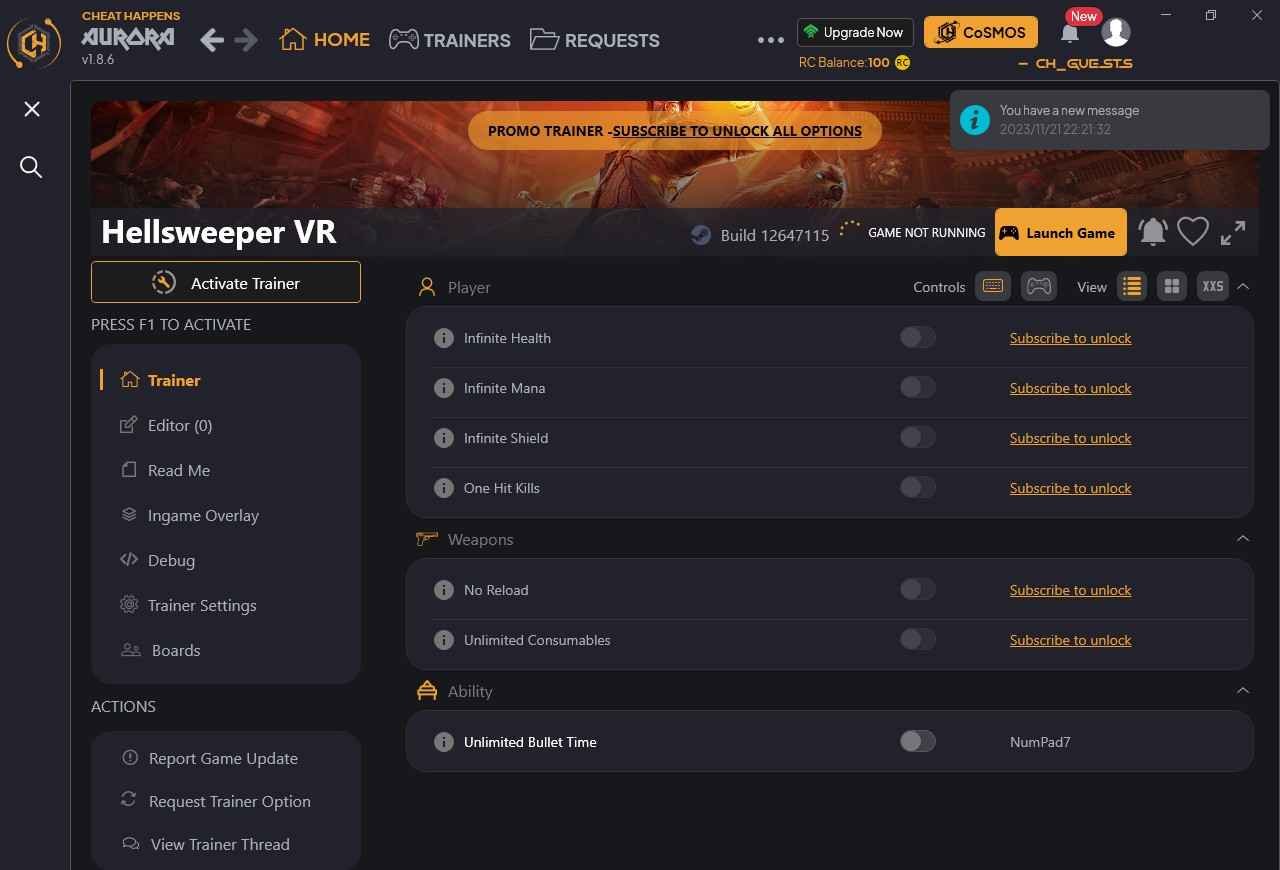
Hellsweeper VR Trainer (CHEATHAPPENS.COM) +7 BUILD 12647115 V2

(0 reviews)
https://g.ggames.com.br/files/file/4431-hellsweeper-vr-trainer-cheathappenscom/

1 Screenshot


Activating this trainer

If not state otherwise below, press F1 at main menu.
Listen for 'Trainer Activated'.
Press desired hotkey. All hotkeys can be changed on the trainer.


Trainer Options

# Player 
     NumPad1: Infinite Health
     NumPad2: Infinite Mana
     NumPad3: Infinite Shield
     NumPad4: One Hit Kills

# Weapons 
     NumPad5: No Reload
     NumPad6: Unlimited Consumables

# Ability 
     NumPad7: Unlimited Bullet Time

# Misc 
     NumPad8: EXP Multiplier

Notes

EXP Multiplier:
While active your gained EXP is multiplied by 4. Value can be customized after trainer activation.


https://g.ggames.com.br/files/file/4431-hellsweeper-vr-trainer-cheathappenscom/

User Feedback

You may only provide a review once you have downloaded the file.

There are no reviews to display.

Configure browser push notifications

Chrome (Android)
  1. Tap the lock icon next to the address bar.
  2. Tap Permissions → Notifications.
  3. Adjust your preference.
Chrome (Desktop)
  1. Click the padlock icon in the address bar.
  2. Select Site settings.
  3. Find Notifications and adjust your preference.