


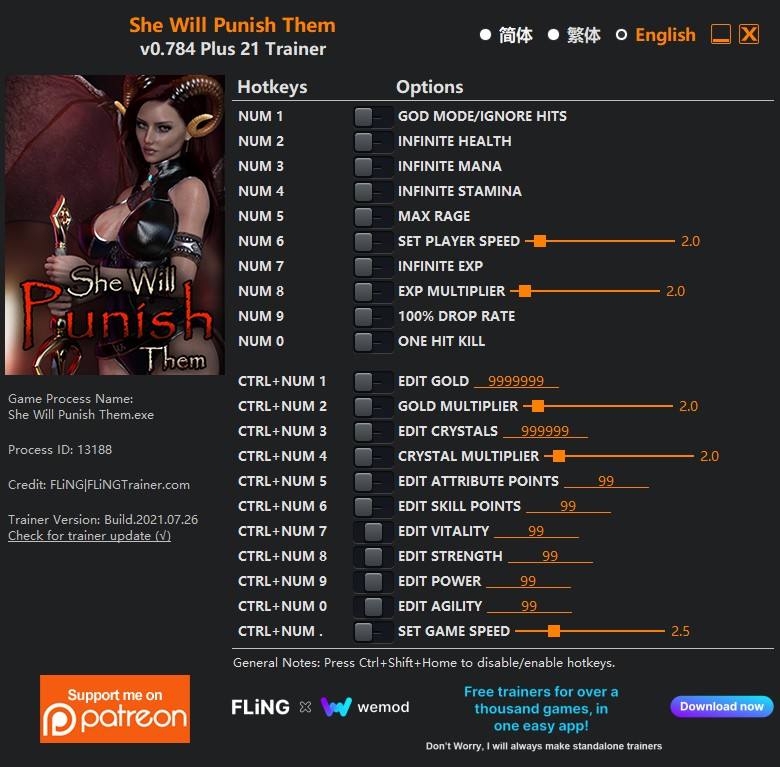
OPTIONS
- Num 1 – God Mode/Ignore Hits
- Num 2 – Infinite Health
- Num 3 – Infinite Mana
- Num 4 – Infinite Stamina
- Num 5 – Max Rage
- Num 6 – Set Player Speed
- Num 7 – Infinite Exp
- Num 8 – Exp Multiplier
- Num 9 – 100% Drop Rate
- Num 0 – One Hit Kill
- Ctrl+Num 1 – Edit Gold
- Ctrl+Num 2 – Gold Multiplier
- Ctrl+Num 3 – Edit Crystals
- Ctrl+Num 4 – Crystal Multiplier
- Ctrl+Num 5 – Edit Attribute Points
- Ctrl+Num 6 – Edit Skill Points
- Ctrl+Num 7 – Edit Vitality
- Ctrl+Num 8 – Edit Strength
- Ctrl+Num 9 – Edit Power
- Ctrl+Num 0 – Edit Agility
- Ctrl+Num . – Set Game Speed
NOTES
“Infinite Exp”: When activated, you’ll level up every time you gain exp.
“Edit Vitality”, “Edit Strength”, “Edit Power”, “Edit Agility”: Only work for the player, they don’t work for companions.
Você só pode fornecer uma análise uma vez que você tenha baixado o arquivo.
Não há análises para mostrar