


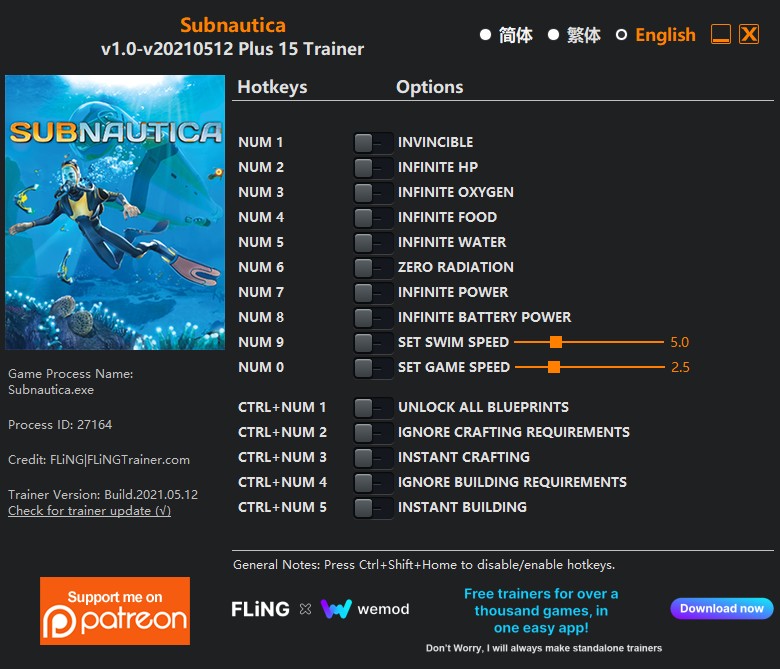
OPTIONS
- Num 1 – Invincible
- Num 2 – Infinite HP
- Num 3 – Infinite Oxygen
- Num 4 – Infinite Food
- Num 5 – Infinite Water
- Num 6 – Zero Radiation
- Num 7 – Infinite Power
- Num 8 – Infinite Battery Power
- Num 9 – Set Swim Speed
- Num 0 – Set Game Speed
- Ctrl+Num 1 – Unlock All Blueprints
- Ctrl+Num 2 – Ignore Crafting Requirements
- Ctrl+Num 3 – Instant Crafting
- Ctrl+Num 4 – Ignore Building Requirements
- Ctrl+Num 5 – Instant Building
NOTES
“Infinite Oxygen”: Takes effect when oxygen decrease.
“Infinite Food”: Takes effect when food decrease.
“Infinite Water”: Takes effect when water decrease.
“Infinite Power”: Works on power generators, takes effect when power decrease.
“Infinite Battery Power”: Works on tools and vehicles that use battery power, takes effect when battery power decrease.
“Ignore Crafting Requirements”: When activated, you can craft items even if you don’t have materials, but if you have materials, they will be used.
“Ignore Building Requirements”: When activated, you can build items/structures even if you don’t have materials, but if you have materials, they will be used.

Você só pode fornecer uma análise uma vez que você tenha baixado o arquivo.
Não há análises para mostrar