


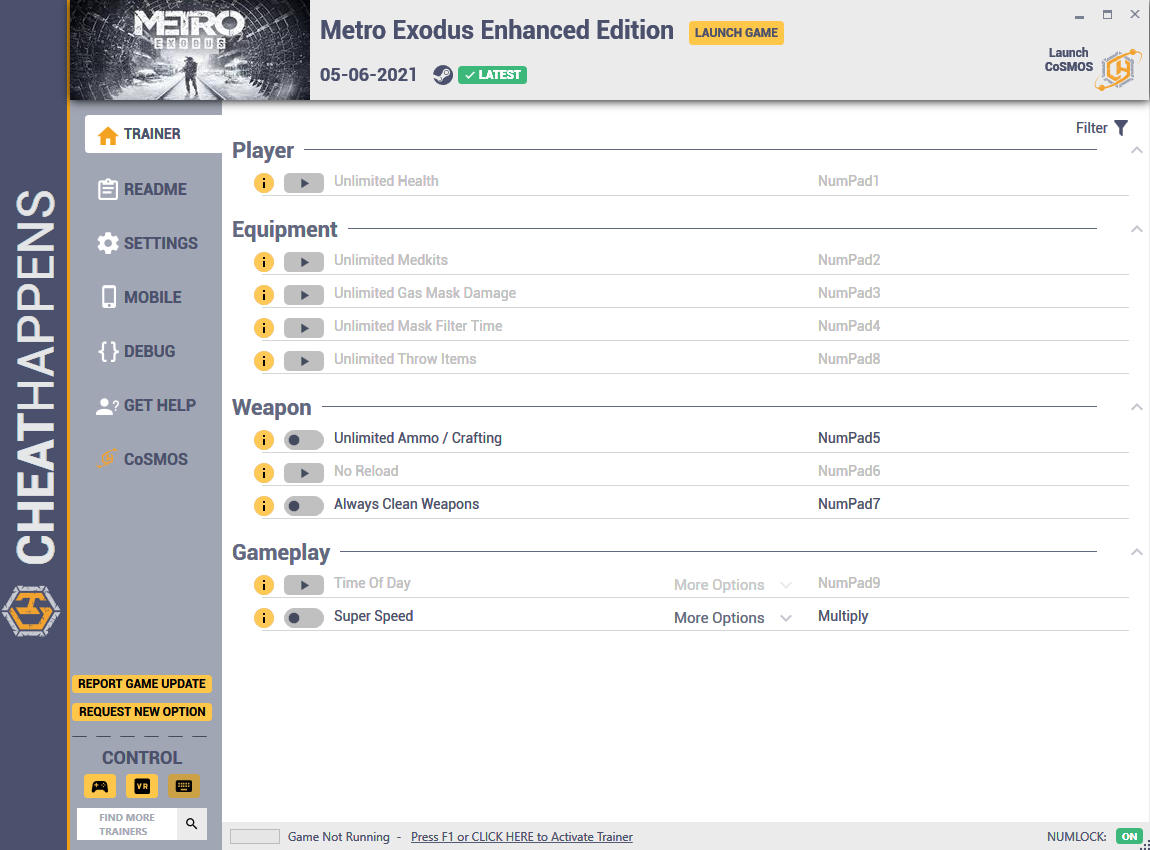
Activating this trainer
If not state otherwise below, press F1 at main menu.
Listen for 'Trainer Activated'.
Press desired hotkey. All hotkeys can be changed on the trainer.
Promo Options
NumPad5: Unlimited Ammo / Crafting
NumPad7: Always Clean Weapons
Multiply: Super Speed
Trainer Options
# Player
- NumPad1: Unlimited Health
# Equipment
- NumPad2: Unlimited Medkits
- NumPad3: Unlimited Gas Mask Damage
- NumPad4: Unlimited Mask Filter Time
- NumPad8: Unlimited Throw Items
# Weapon
- NumPad5: Unlimited Ammo / Crafting
- NumPad6: No Reload
- NumPad7: Always Clean Weapons
# Gameplay
- NumPad9: Time Of Day
- Multiply: Super Speed
Notes
If errors are shown in your hotkeys (usually a red "!" ) delete the file 65398.xml usually located here:
C:\Users\<your user name>\AppData\Roaming\Cheat Happens\Trainer Settings
Unlimited Ammo / Crafting:
Toggle on and your weapon ammo does not decrease when fired. Also many other items in the game are temporarily set high and may be useful, such as for crafting items.
Always Clean Weapons:
Toggle on and most weapons revert to 100% clean and stay that way while this is on.
Super Speed:
Toggle on to speed up movement in the game to get to places quicker.
Você só pode fornecer uma análise uma vez que você tenha baixado o arquivo.
Não há análises para mostrar