


OPTIONS
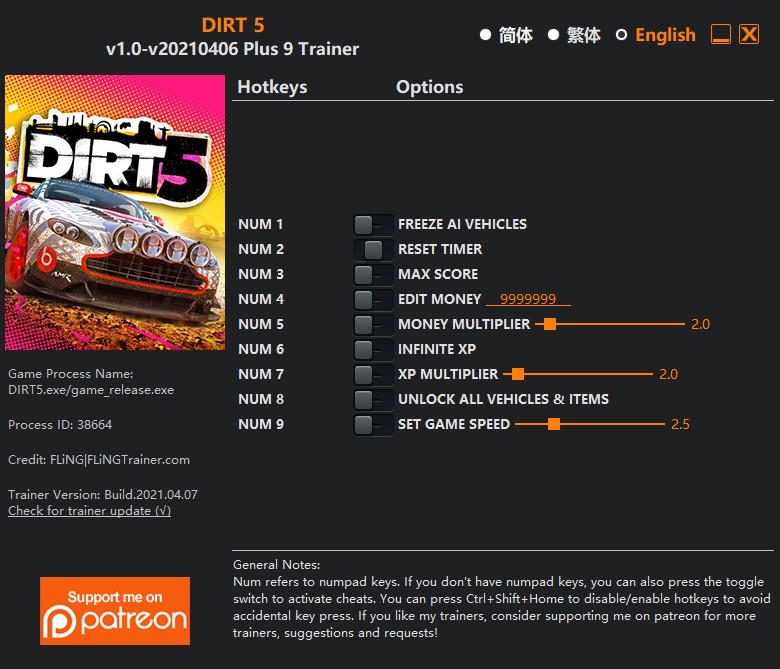
- Num 1 – Freeze AI Vehicles
- Num 2 – Reset Timer
- Num 3 – Max Score
- Num 4 – Edit Money
- Num 5 – Money Multiplier
- Num 6 – Infinite XP
- Num 7 – XP Multiplier
- Num 8 – Unlock All Vehicles & Items
- Num 9 – Set Game Speed
NOTES
“Infinite XP” takes effect when you gain XP.
“Max Score” takes effect when you gain score.
“Unlock All Vehicles & Items”: Temporary unlocks everything in the game. For purchasable items, this option unlocks the purchase requirement, you still need to purchase the item in order to use it.
O Que Há de Novo na Versão V1.0-V20210615 plus 9
Visualizar log de alteraçõesLançado
OPTIONS
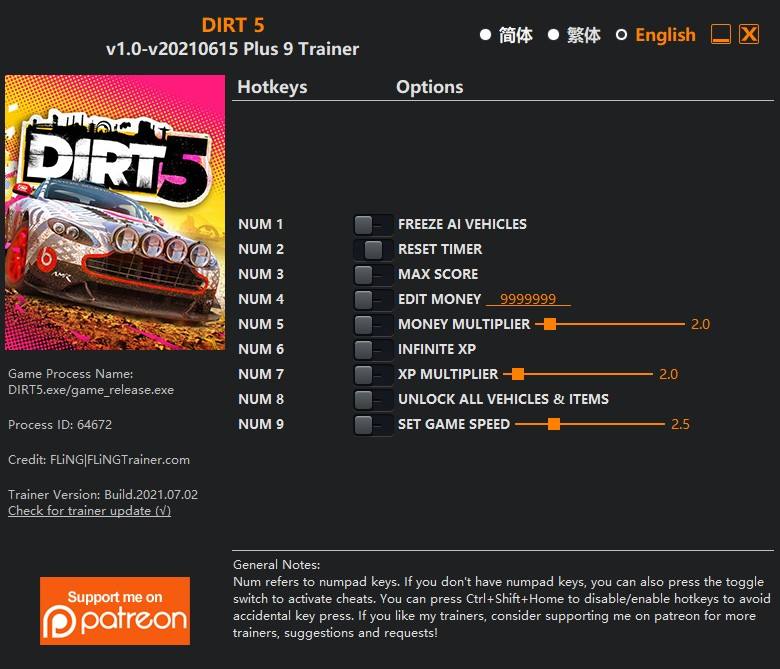
- Num 1 – Freeze AI Vehicles
- Num 2 – Reset Timer
- Num 3 – Max Score
- Num 4 – Edit Money
- Num 5 – Money Multiplier
- Num 6 – Infinite XP
- Num 7 – XP Multiplier
- Num 8 – Unlock All Vehicles & Items
- Num 9 – Set Game Speed
NOTES
“Infinite XP” takes effect when you gain XP.
“Max Score” takes effect when you gain score.
“Unlock All Vehicles & Items”: Temporary unlocks everything in the game. For purchasable items, this option unlocks the purchase requirement, you still need to purchase the item in order to use it.

Você só pode fornecer uma análise uma vez que você tenha baixado o arquivo.
Não há análises para mostrar