





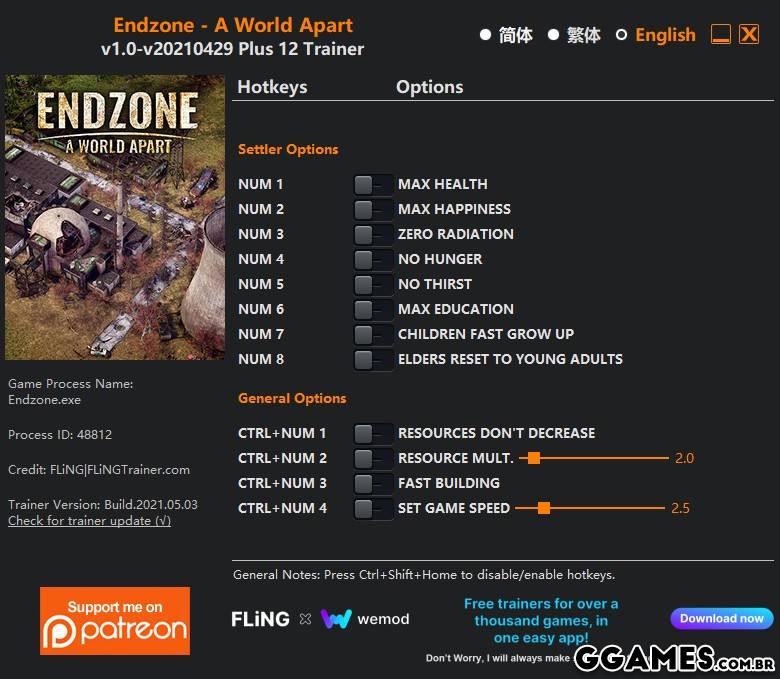

OPTIONS
Settler Options
Num 1 – Max Health
Num 2 – Max Happiness
Num 3 – Zero Radiation
Num 4 – No Hunger
Num 5 – No Thirst
Num 6 – Max Education
Num 7 – Children Fast Grow Up
Num 8 – Elders Reset To Young Adults
General Options
Ctrl+Num 1 – Resources Don’t Decrease
Ctrl+Num 2 – Resource Multiplier
Ctrl+Num 3 – Fast Building
Ctrl+Num 4 – Set Game Speed
NOTES
“Resource Multiplier” does not work on some resource such as food and tools.
“Fast Building”: You still need to deliver resources to the building site in order to start building. Once resources are delivered, the building can be done insta
O Que Há de Novo na Versão V1.0-V20210429 plus 12
Visualizar log de alteraçõesLançado
OPTIONS
Settler Options
- Num 1 – Max Health
- Num 2 – Max Happiness
- Num 3 – Zero Radiation
- Num 4 – No Hunger
- Num 5 – No Thirst
- Num 6 – Max Education
- Num 7 – Children Fast Grow Up
- Num 8 – Elders Reset To Young Adults
General Options
- Ctrl+Num 1 – Resources Don’t Decrease
- Ctrl+Num 2 – Resource Multiplier
- Ctrl+Num 3 – Fast Building
- Ctrl+Num 4 – Set Game Speed
NOTES
“Resource Multiplier” does not work on some resource such as food and tools.
“Fast Building”: You still need to deliver resources to the building site in order to start building. Once resources are delivered, the building can be done instantly.
Você só pode fornecer uma análise uma vez que você tenha baixado o arquivo.