


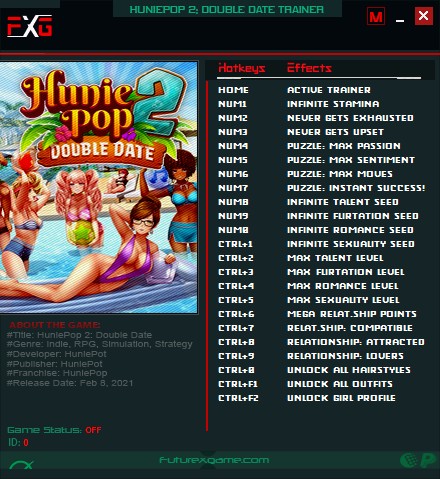
Options:
HOME - Active Trainer
- Numpad1 - Infinite Stamina
- Numpad2 - Never Gets Exhausted
- Numpad3 - Never Gets Upset
- Numpad4 - Max Passion
- Numpad5 - Max Sentiment
- Numpad6 - Max Moves
- Numpad7 - Puzzle: Instant Success!(Affection)
- Numpad8 - Infinite Talent Seed
- Numpad9 - Infinite Flirtation Seed
- Numpad0 - Infinite Romance Seed
- Ctrl+Number1 - Infinite Sexuality Seed
- Ctrl+Number2 - Max Talent Level
- Ctrl+Number3 - Max Flirtation Level
- Ctrl+Number4 - Max Romance Level
- Ctrl+Number5 - Max Sexuality Level
- Ctrl+Number6 - Mega Relationship Points(100+)
- Ctrl+Number7 - Relationship Status: Compatible
- Ctrl+Number8 - Relationship Status: Attracted & Horny
- Ctrl+Number9 - Relationship Status: Lovers
- Ctrl+Number0 - Unlock All Hairystyles
- Ctrl+F1 - Unlock All Outfits
- Ctrl+F2 - Unlock Girl Profi
Você só pode fornecer uma análise uma vez que você tenha baixado o arquivo.
Não há análises para mostrar