Jump to content
View in the app

A better way to browse. Learn more.

GGames Fórum

A full-screen app on your home screen with push notifications, badges and more.

To install this app on iOS and iPadOS
  1. Tap the Share icon in Safari
  2. Scroll the menu and tap Add to Home Screen.
  3. Tap Add in the top-right corner.
To install this app on Android
  1. Tap the 3-dot menu (⋮) in the top-right corner of the browser.
  2. Tap Add to Home screen or Install app.
  3. Confirm by tapping Install.

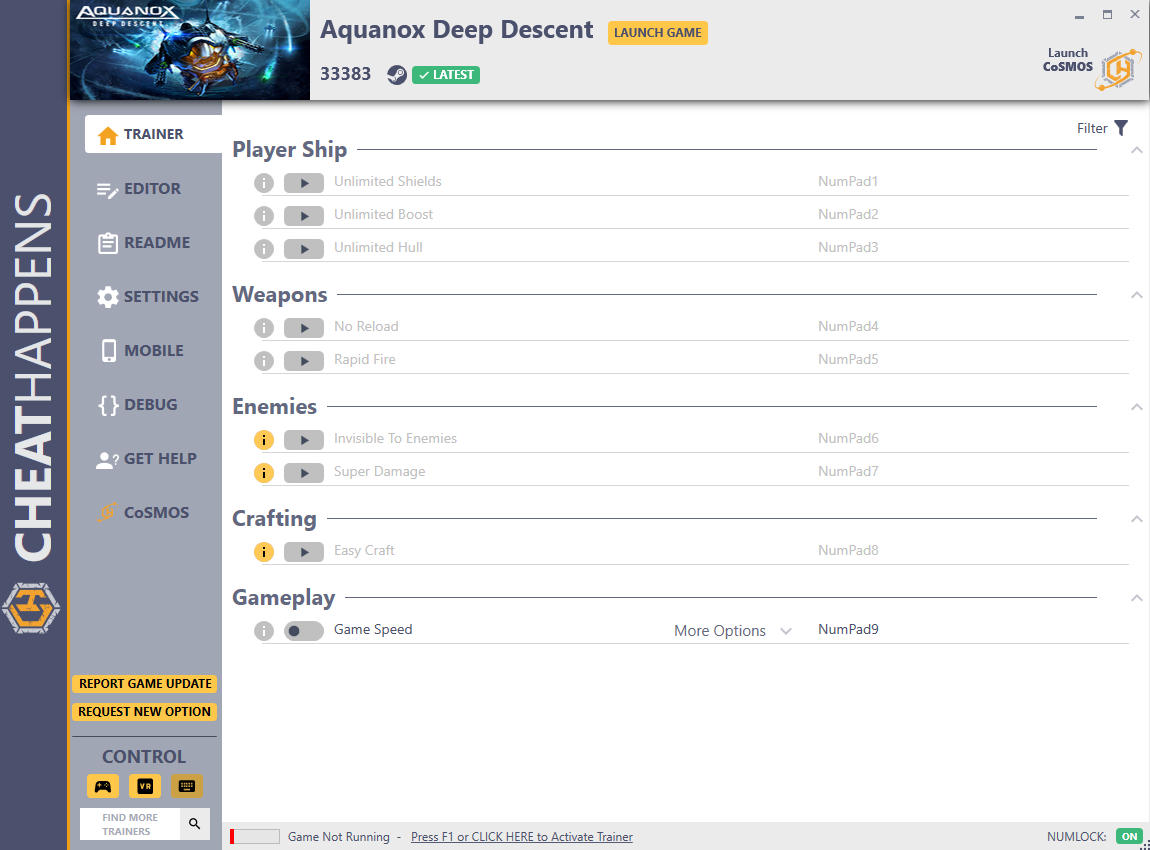
Trainer Aquanox Deep Descent {CHEATHAPPENS} v33383 plus 10

(0 reviews)
https://g.ggames.com.br/files/file/2069-trainer-aquanox-deep-descent-cheathappens/

1 Screenshot

Activating this trainer
If not state otherwise below, press F1 at main menu.
Listen for 'Trainer Activated'.
Press desired hotkey. All hotkeys can be changed on the trainer.


Promo Options
NumPad9: Game Speed


Trainer Options
# Player Ship 

  •      NumPad1: Unlimited Shields
  •      NumPad2: Unlimited Boost
  •      NumPad3: Unlimited Hull

# Weapons 

  •      NumPad4: No Reload
  •      NumPad5: Rapid Fire

# Enemies 

  •      NumPad6: Invisible To Enemies
  •      NumPad7: Super Damage

# Crafting 

  •      NumPad8: Easy Craft

# Gameplay 

  •      NumPad9: Game Speed

Editor Options
# Currency 

  •      Credits
https://g.ggames.com.br/files/file/2069-trainer-aquanox-deep-descent-cheathappens/

User Feedback

You may only provide a review once you have downloaded the file.

There are no reviews to display.

Configure browser push notifications

Chrome (Android)
  1. Tap the lock icon next to the address bar.
  2. Tap Permissions → Notifications.
  3. Adjust your preference.
Chrome (Desktop)
  1. Click the padlock icon in the address bar.
  2. Select Site settings.
  3. Find Notifications and adjust your preference.