





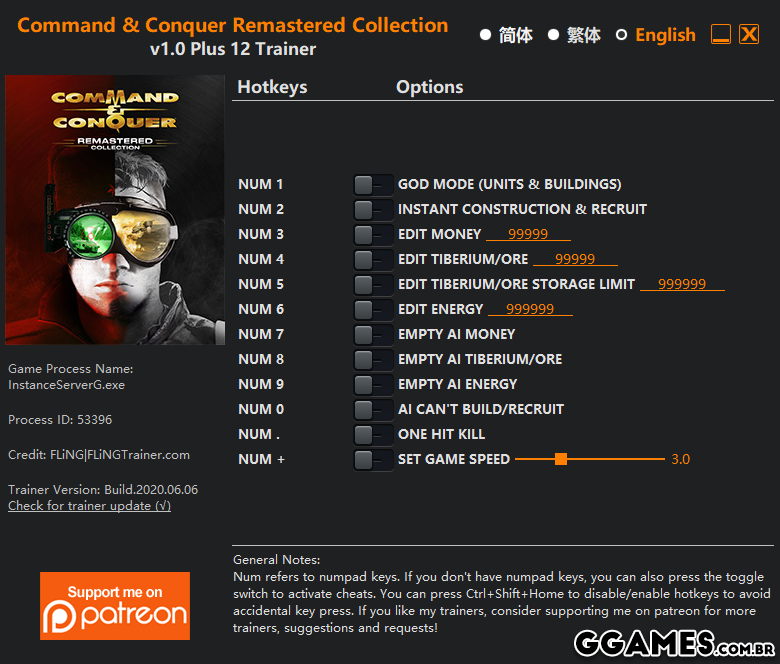
OPTIONS
Num 1 – God Mode (Units & Buildings)
Num 2 – Instant Construction & Recruit
Num 3 – Edit Money
Num 4 – Edit Tiberium/Ore
Num 5 – Edit Tiberium/Ore Storage Limit
Num 6 – Edit Energy
Num 7 – Empty AI Money
Num 8 – Empty AI Tiberium/Ore
Num 9 – Empty AI Energy
Num 0 – AI Can’t Build/Recruit
Num . – One Hit Kill
Num + – Set Game Speed
NOTES
Hotkeys and toggle buttons only active during battle (can’t activate cheats in main menu/before battle).
This trainer works for both games in the remastered collection (Command & Conquer and Red Alert).
-
OPÇÕES
Num 1 - Modo Deus (unidades e edifícios)
Num 2 - Construção e Recrutamento Instantâneos
Num 3 - Editar dinheiro
Num 4 - Editar Tiberium / Minério
Num 5 - Editar limite de armazenamento de tiberium / minério
Num 6 - Editar energia
Num 7 - Dinheiro vazio da IA
Num 8 - AI vazio Tibério / Minério
Num 9 - Energia AI vazia
Num 0 - A IA não pode criar / recrutar
Num. - Tiro fatal
Num + - Definir velocidade do jogo
NOTAS
Teclas de atalho e botões de alternância ativos somente durante a batalha (não é possível ativar truques no menu principal / antes da batalha).
Este treinador trabalha para os dois jogos da coleção remasterizada (Command & Conquer e Red Alert).
-
 1
1
Você só pode fornecer uma análise uma vez que você tenha baixado o arquivo.