Jump to content
View in the app

A better way to browse. Learn more.

GGames Fórum

A full-screen app on your home screen with push notifications, badges and more.

To install this app on iOS and iPadOS
  1. Tap the Share icon in Safari
  2. Scroll the menu and tap Add to Home Screen.
  3. Tap Add in the top-right corner.
To install this app on Android
  1. Tap the 3-dot menu (⋮) in the top-right corner of the browser.
  2. Tap Add to Home screen or Install app.
  3. Confirm by tapping Install.

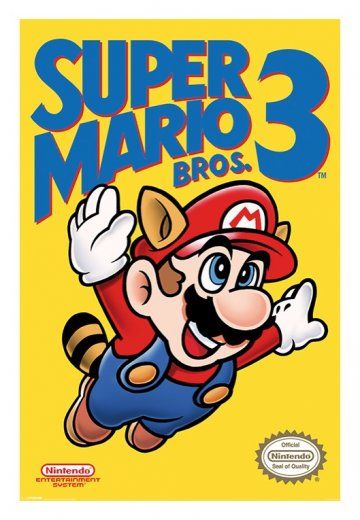
Tradução Super Mario Bros. 3 PT-BR [NES] 1.0.0

(3 reviews)
https://g.ggames.com.br/files/file/1889-traducao-super-mario-bros-3-pt-br-nes/

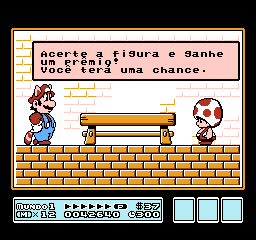
2 Screenshots


Tradução do jogo Super Mario Bros. 3 para NES
Todos os textos foram traduzidos, e todos os gráficos foram editados.

Ficha Técnica
Versão da ROM: Super Mario Bros. 3 (PC10).nes, com CRC32 23E3EA65.
Plataformas: Nintendo 8 bits
Formato: IPS
Tamanho: 3 Kb
Desenvolvedor da Tradução: Balboa/Monkey's Traduções


https://g.ggames.com.br/files/file/1889-traducao-super-mario-bros-3-pt-br-nes/

User Feedback

You may only provide a review once you have downloaded the file.


Obrigado, amigo. Nunca tive a oportunidade de jogar Mario em Pt-br. Vou testar.

   1 of 1 member found this review helpful 1 / 1 member

Nunca consegui terminar esse game, mas obrigado por compartilhar.

   1 of 1 member found this review helpful 1 / 1 member

Obrigado

Configure browser push notifications

Chrome (Android)
  1. Tap the lock icon next to the address bar.
  2. Tap Permissions → Notifications.
  3. Adjust your preference.
Chrome (Desktop)
  1. Click the padlock icon in the address bar.
  2. Select Site settings.
  3. Find Notifications and adjust your preference.