
Jump to content
View in the app

A better way to browse. Learn more.

GGames Fórum

A full-screen app on your home screen with push notifications, badges and more.

To install this app on iOS and iPadOS
  1. Tap the Share icon in Safari
  2. Scroll the menu and tap Add to Home Screen.
  3. Tap Add in the top-right corner.
To install this app on Android
  1. Tap the 3-dot menu (⋮) in the top-right corner of the browser.
  2. Tap Add to Home screen or Install app.
  3. Confirm by tapping Install.

1 Screenshot

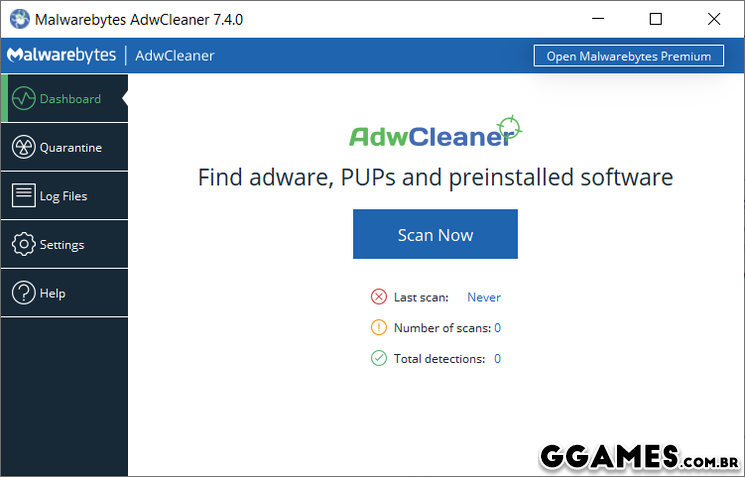
A internet é a casa de muito arquivo malicioso, esperando a chance para entrar no seu computador e acabar com muita coisa boa que ele pode oferecer. Isso, porque muitos Adwares podem estar infectando a sua máquina e muitos deles tem a premissa de coletar dados e transferir para pessoas que pode fazer mal a máquina. Por isso, um software como o AdwCleaner é extremamente importante para o seu computador, afinal ele conseguir fazer uma busca por todos os adwares que estão no seu computador e ainda executar uma limpeza para deixar os seus dados mais seguros.
248.png

Edited by LeandroSexy

What's New in Version 8.0.9.1

See changelog

Released

No changelog available for this version.

User Feedback

You may only provide a review once you have downloaded the file.


Pega muita coisa que outros softwares não pegam. Fundamental quando há suspeita de spywares no computador 


vlw por compartilhar!


Eu fiquei surpreso a primeira vez que usei, muito prático. Recomendo.

   1 of 1 member found this review helpful 1 / 1 member

muito bom e objetivo o programa, cumpre o que promete.

   1 of 1 member found this review helpful 1 / 1 member

ótimo

   1 of 1 member found this review helpful 1 / 1 member

Simples e eficaz

   1 of 1 member found this review helpful 1 / 1 member

otimo eliminador de spyware

   1 of 1 member found this review helpful 1 / 1 member

Ótimo anti adwares

Configure browser push notifications

Chrome (Android)
  1. Tap the lock icon next to the address bar.
  2. Tap Permissions → Notifications.
  3. Adjust your preference.
Chrome (Desktop)
  1. Click the padlock icon in the address bar.
  2. Select Site settings.
  3. Find Notifications and adjust your preference.