
Jump to content
View in the app

A better way to browse. Learn more.

GGames Fórum

A full-screen app on your home screen with push notifications, badges and more.

To install this app on iOS and iPadOS
  1. Tap the Share icon in Safari
  2. Scroll the menu and tap Add to Home Screen.
  3. Tap Add in the top-right corner.
To install this app on Android
  1. Tap the 3-dot menu (⋮) in the top-right corner of the browser.
  2. Tap Add to Home screen or Install app.
  3. Confirm by tapping Install.

Dolphin - Emulador (Nintendo Gamecube e Wii) Atualizado 5.0-13178 (64 bits)

(9 reviews)

1 Screenshot

O Dolphin é um emulador para duas recentes consolas de jogos Nintendo: a GameCube e a Wii. Permite aos jogadores de PC usufruir de jogos para ambas em completo HD (1080p) com várias melhorias: compatibilidade com todos os controladores de PC, velocidade turbo, multijogador em rede e ainda mais!
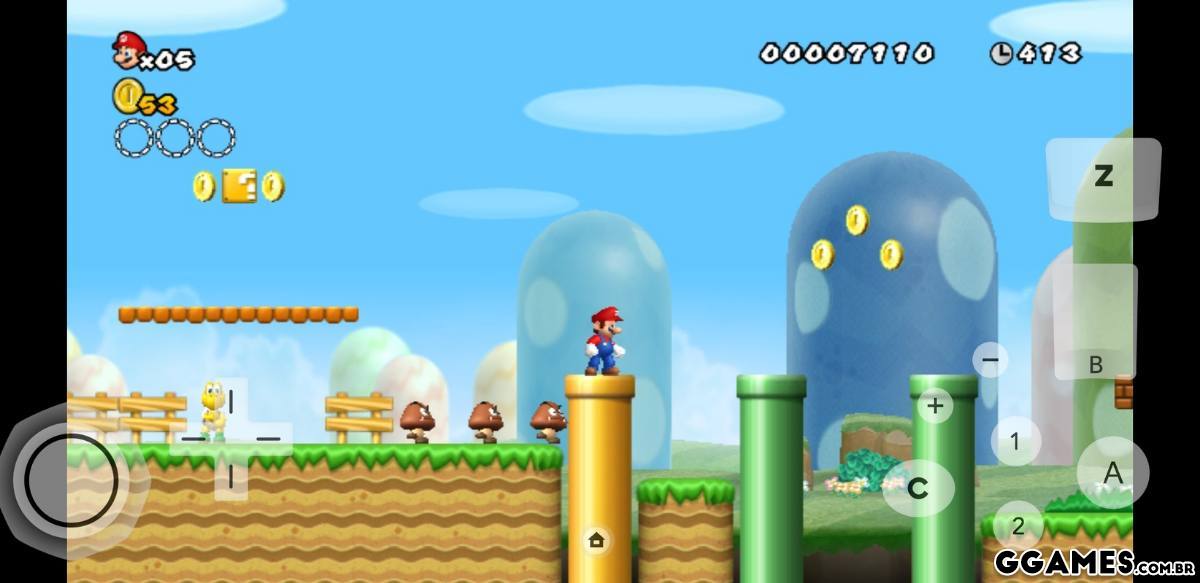
54.jpg

What's New in Version 5.0-13178 (64 bits)

See changelog

Released

Nova versão do software, Novo Ícone e uma foto ilustrativa de como é o programa!

User Feedback

You may only provide a review once you have downloaded the file.


O Dolphin é simplesmente incrível! Como fã dos jogos da Nintendo, poder desfrutar dos títulos do GameCube e Wii no meu PC em qualidade HD é uma experiência incrível. A compatibilidade com controladores de PC e recursos como velocidade turbo e multijogador em rede tornam tudo ainda melhor. A interface é amigável e o desempenho é excelente

   1 of 1 member found this review helpful 1 / 1 member

Vlw por compartilhar.

   1 of 1 member found this review helpful 1 / 1 member

obrigado por compartilhar!

   1 of 1 member found this review helpful 1 / 1 member

O melhor emulador que já utilizei, jogar mario galaxy não tem preço. 

   1 of 1 member found this review helpful 1 / 1 member

excelente

   1 of 1 member found this review helpful 1 / 1 member

Bom emulador. Utilizei bastante para rodar jogos de Wii no PC.


Senti até a nostalgia.

   1 of 1 member found this review helpful 1 / 1 member

Top

   1 of 1 member found this review helpful 1 / 1 member

Excelente. Sempre bom reviver clássicos dos games. Obrigado

Configure browser push notifications

Chrome (Android)
  1. Tap the lock icon next to the address bar.
  2. Tap Permissions → Notifications.
  3. Adjust your preference.
Chrome (Desktop)
  1. Click the padlock icon in the address bar.
  2. Select Site settings.
  3. Find Notifications and adjust your preference.