Jump to content
View in the app

A better way to browse. Learn more.

GGames Fórum

A full-screen app on your home screen with push notifications, badges and more.

To install this app on iOS and iPadOS
  1. Tap the Share icon in Safari
  2. Scroll the menu and tap Add to Home Screen.
  3. Tap Add in the top-right corner.
To install this app on Android
  1. Tap the 3-dot menu (⋮) in the top-right corner of the browser.
  2. Tap Add to Home screen or Install app.
  3. Confirm by tapping Install.

2 Screenshots

Versão 1.00

Idioma Português-BR

Versão Suportada 1.25.5.2

Idioma Suportado Inglês

Créditos: Tribogamer

Observações

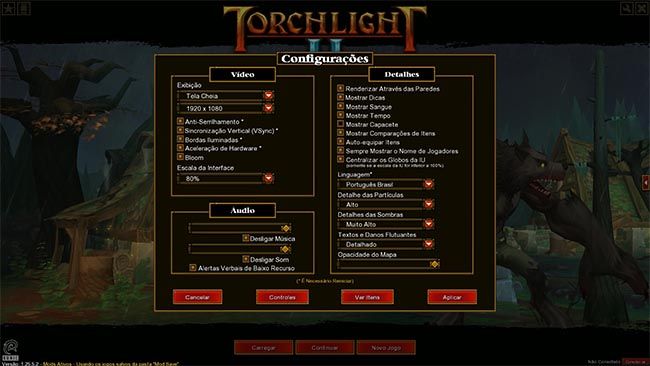
Os jogadores precisarão iniciar o game pelo ModLauncher pela Steam ou pasta do jogo. Como mostra a imagem abaixo. E selecionar a tradução para que ela inicie e mudar a opção de linguagem para PT-BR nas configurações do jogo. Se iniciarem pelo executável normal, a opção PT-BR não estará disponível.

What's New in Version 1.0.0

See changelog

Released

No changelog available for this version.

User Feedback

You may only provide a review once you have downloaded the file.


Obrigado pela tradução.


Maravilha, obrigado.


funcionou certinho


Obrigado funcionou.

Configure browser push notifications

Chrome (Android)
  1. Tap the lock icon next to the address bar.
  2. Tap Permissions → Notifications.
  3. Adjust your preference.
Chrome (Desktop)
  1. Click the padlock icon in the address bar.
  2. Select Site settings.
  3. Find Notifications and adjust your preference.