Jump to content
View in the app

A better way to browse. Learn more.

GGames Fórum

A full-screen app on your home screen with push notifications, badges and more.

To install this app on iOS and iPadOS
  1. Tap the Share icon in Safari
  2. Scroll the menu and tap Add to Home Screen.
  3. Tap Add in the top-right corner.
To install this app on Android
  1. Tap the 3-dot menu (⋮) in the top-right corner of the browser.
  2. Tap Add to Home screen or Install app.
  3. Confirm by tapping Install.

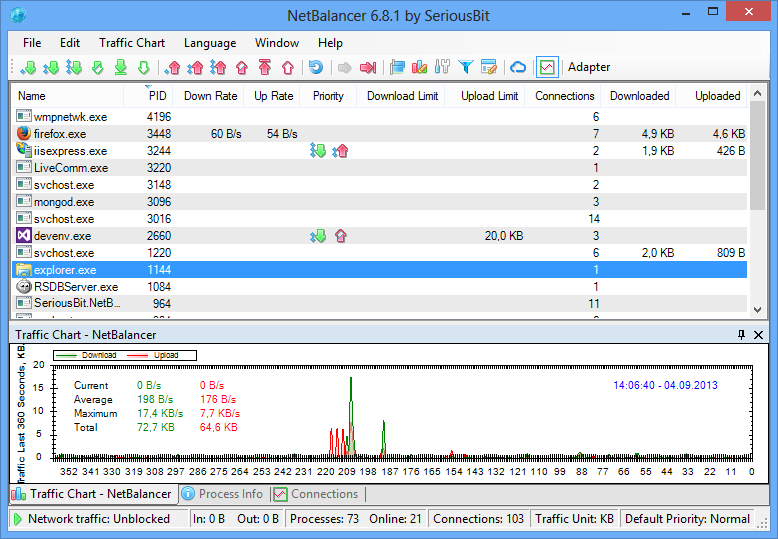
NetBalancer 9.14.3.2171

(2 reviews)

1 Screenshot


Controle todos os aspectos do fluxo de tráfego no seu computador. Defina regras e filtros avançados, edite prioridades de rede para processos em execução e faça muitas outras operações em sua máquina ou em um grupo de máquinas com base em tags

Com as regras de tráfego, você pode definir prioridades, limitar ou bloquear o tráfego de rede medido com base em várias configurações, como hora do dia, protocolo de rede ou tipo de aplicativo.


User Feedback

You may only provide a review once you have downloaded the file.


Muito Bom

Configure browser push notifications

Chrome (Android)
  1. Tap the lock icon next to the address bar.
  2. Tap Permissions → Notifications.
  3. Adjust your preference.
Chrome (Desktop)
  1. Click the padlock icon in the address bar.
  2. Select Site settings.
  3. Find Notifications and adjust your preference.