

Jump to content
View in the app

A better way to browse. Learn more.

GGames Fórum

A full-screen app on your home screen with push notifications, badges and more.

To install this app on iOS and iPadOS
  1. Tap the Share icon in Safari
  2. Scroll the menu and tap Add to Home Screen.
  3. Tap Add in the top-right corner.
To install this app on Android
  1. Tap the 3-dot menu (⋮) in the top-right corner of the browser.
  2. Tap Add to Home screen or Install app.
  3. Confirm by tapping Install.

ePSXe - Emulador Playstation 2.0.5

(10 reviews)
https://g.ggames.com.br/files/file/1101-epsxe-emulador-playstation/

1 Screenshot

O ePSXe é um fantástico emulador de PlayStation que lhe permite jogar e desfrutar os jogos desta consola no seu computador.
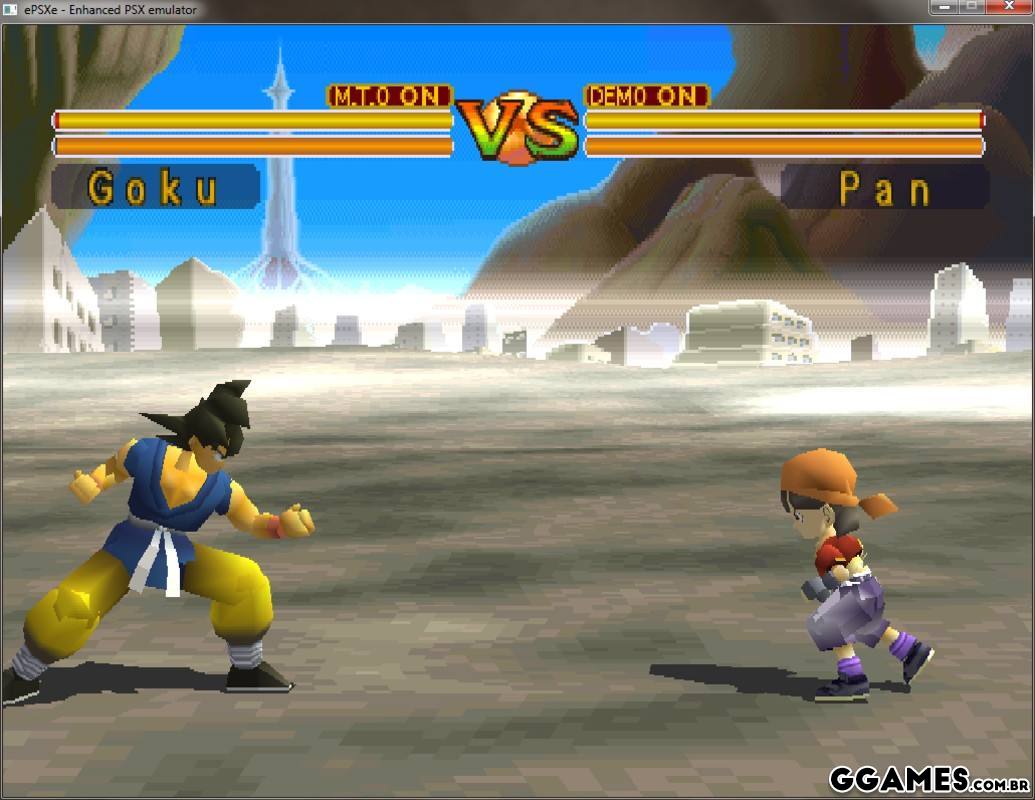
40.jpg

What's New in Version 2.0.5

See changelog

Released

Novo Ícone e uma foto ilustrativa de como é o programa!

https://g.ggames.com.br/files/file/1101-epsxe-emulador-playstation/

User Feedback

You may only provide a review once you have downloaded the file.


O ePSXe é simplesmente incrível! A interface é fácil de usar e a configuração é simples. A qualidade gráfica e sonora dos jogos é impressionante, proporcionando uma experiência autêntica e nostálgica. 


Melhor emulador de PS1 que já usei.

Sempre começo jogando Megaman X4, X5 e X6. 

Minha série preferida de jogos de plataforma.


Ótimo emulador, inclui algumas funções extras em comparação ao PSx, como a possibilidade de jogar online (netplay) através Kaillera. Obrigado por comaprtilhar!


funcionou perfeitamente...Obrigado


Excelente para matar saudades!


meu primeiro residente evil kkk velhos tempos , vou testar 

   1 of 1 member found this review helpful 1 / 1 member

É um Ótimo emulador de PS1.

   1 of 1 member found this review helpful 1 / 1 member

Agora é só colocar o roberto carlos no ataque e ser feliz kkk

   1 of 1 member found this review helpful 1 / 1 member

Bom demais, sabes se tem como configurar o multiplayer local?


Configure browser push notifications

Chrome (Android)
  1. Tap the lock icon next to the address bar.
  2. Tap Permissions → Notifications.
  3. Adjust your preference.
Chrome (Desktop)
  1. Click the padlock icon in the address bar.
  2. Select Site settings.
  3. Find Notifications and adjust your preference.