https://www.facebook.com/lisboa.codes/
https://x.com/LisboaCodes
https://www.instagram.com/creativenext.ofc/
https://github.com/LisboaCodes
https://www.facebook.com/Creativenext.digital
Mumbai, India 📍
Raw Jason Voorhees
{
"dados": [
{
"CPF": "032.***.***-65",
"NASC": "15/10/1996",
"NOME": "Noemi Santos De Carvalho",
"NOME_MAE": "Maria Jose Dos Santos",
"NOME_PAI": "",
"ORGAO_EMISSOR": "",
"RENDA": "658,27",
"RG": "",
"SEXO": "FEMININO",
"SO": "False",
"TITULO_ELEITOR": "",
"UF_EMISSAO": ""
}
],
"parentes": [
{
"CPF_VINCULO": null,
"NOME_VINCULO": "MARIA JOSE DOS SANTOS",
"VINCULO": "MAE"
}
],
"status": 200
}
"Era uma comunidade onde compartilhávamos arquivos, conhecimento e outros recursos."
- The Mastermind
Ofereço minha isenção de responsabilidade. O TDC está hospedado no domínio .com.br, porém o proprietário original desapareceu sem deixar vestígios possivelmente faleceu e se tornou um "laranja" envolvido no esquema que utiliza a UOL para hospedagem.
O perfil do Lisboa Coda fofo enfrenta um sério problema de vibe coding e/ou psicose da IA.
Ele posta várias fotos claramente editadas por IA, o que não difere muito da página dele no domínio .club (https://filewarez.club/), que foi obviamente gerada com a Claudiane.
Não me parece que ele precise de dinheiro para manter o site warez, que armazena apenas texto e links. O banco de dados do TDC tem cerca de 40 GB, composto principalmente por postagens e algumas imagens.
Por
based, · Postado


Pessoal, o que acharam do meu banner?

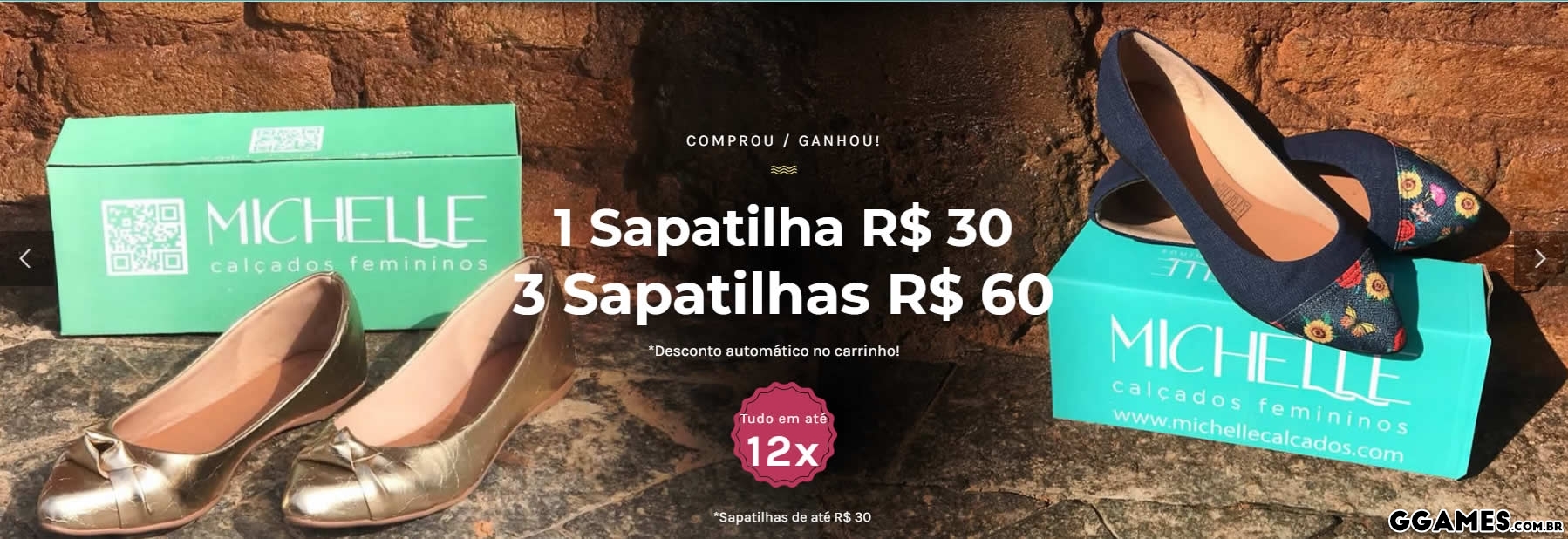
Esse é o fundo, uni duas fotos no Fireworks e coloquei essa mancha no meio para fazer de conta que foram tiradas juntas rs
Aí o resto foi talento.
Vocês podem ver ele animado no site do cliente:
Já visitou nosso Portal de Notícias? Eu garanto que você vai adorar.