daniel carlos
Membro
-
Registro em
-
Última visita
Tudo que daniel carlos postou
-

 obrigado e cod>>> bf brincadeiraa haha
 -

-
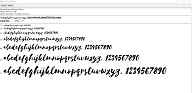 quem trabalha na publicidade sabe como é viciante ficar vendo fontes
 -

-
valeu pela contribuição lek
-
obrigaduuu
-
muito bom para ter mais segurança
-
ta que tá em tux XD
-
obrigado mas vc poderia falar melhor o que ela faz?
-
muito legal obrigado tux
-
-
-
-
-
thanks
-
-
-
-
-
-
-
-
 piratear a nintendo é dever civico
 -
 sempre quis ter um psp vou usar bem esse emulador
 -