GGames DevOps
Fundador
-
Registro em
-
Última visita
Tudo que GGames DevOps postou
-
 Hi i'll fix it today, and please, everytime you found a bug please tell me. You can see the progress here https://ggames.com.br/tasks/1-hacks/
 -
I know this problem, i'll fix it probaly today 😕 but relax, i already know, but thanks to tell me.
-
Visulizar Arquivo No Man's Sky Modded Save Game with EVERYTHING UNLOCKED to PC (STEAM) and PS4 (CUSA04841) - Created by LoadSec from GGames PORTUGUÊS Este arquivo contém dois Save Games, versão para PC e para PS4. Como usar: No PC você deve transferir o save usando a ferramenta https://github.com/cengelha/NomNom/ No PS4 você deve comprar o Save Wizard e fazer um RE-SIGN (reassinar) para seu perfil: https://www.savewizard.net/ O que o save contém: Todas as tecnologias descobertas; Todos os produtos descobertos; Todas as palavras decobertas; Todos os espaços DISPONÍVEIS já liberados; Todos os status no máximo; 5 Naves pré-liberadas; Esquadrão liberado e com todos os pilotos no rank S; Todas as 30 fragatas liberadas e todas rank S e com todos os status no máximo; Multiferramenta no máximo; 1 pet já liberado; Base já liberada com todas as estruturas também liberadas; Nave Cargueira já liberada; E muito mais (veja as imagens). Nota: Este save game do PS4 é para a versão US CUSA04841 Nota²: Este save game do PC é para a versão da Steam ============ ENGLISH This file contains two Save Games, PC and PS4 version. How to use: On PC you must transfer the save using the tool https://github.com/cengelha/NomNom/ On PS4 you must buy the Save Wizard and RE-SIGN (re-sign) your profile: https://www.savewizard.net/ What the save contains: All technologies discovered; All discovered products; All words uncovered; All AVAILABLE slots already unlocked; All status max; 5 pre-released ships; Squadron unlocked and with all pilots in rank S; All 30 frigates unlocked and all S rank and with all stats maxed; Max multitool; 1 pet already unlocked; Base already unlocked with all structures also unlocked; Freighter Ship already unlocked; And much more (see images). Note: This PS4 save game is for US version CUSA04841 Note²: This PC save game is for Steam Version Autor Load Enviado 29-05-2022 Categoria Save/Inventory Editor Desenvolvedor Hello Games & LoadSec
-
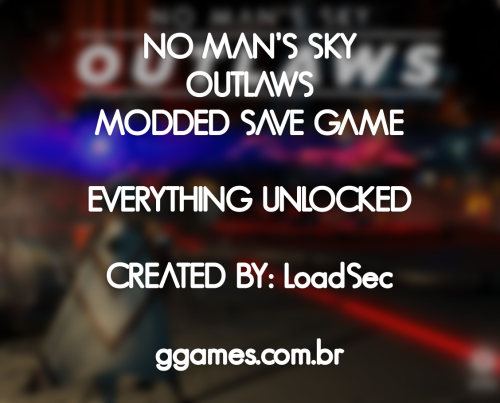 PORTUGUÊS Este arquivo contém dois Save Games, versão para PC e para PS4. Como usar: No PC você deve transferir o save usando a ferramenta https://github.com/cengelha/NomNom/ No PS4 você deve comprar o Save Wizard e fazer um RE-SIGN (reassinar) para seu perfil: https://www.savewizard.net/ O que o save contém: Todas as tecnologias descobertas; Todos os produtos descobertos; Todas as palavras decobertas; Todos os espaços DISPONÍVEIS já liberados; Todos os status no máximo; 5 Naves pré-liberadas; Esquadrão liberado e com todos os pilotos no rank S; Todas as 30 fragatas liberadas e todas rank S e com todos os status no máximo; Multiferramenta no máximo; 1 pet já liberado; Base já liberada com todas as estruturas também liberadas; Nave Cargueira já liberada; E muito mais (veja as imagens). Nota: Este save game do PS4 é para a versão US CUSA04841 Nota²: Este save game do PC é para a versão da Steam ============ ENGLISH This file contains two Save Games, PC and PS4 version. How to use: On PC you must transfer the save using the tool https://github.com/cengelha/NomNom/ On PS4 you must buy the Save Wizard and RE-SIGN (re-sign) your profile: https://www.savewizard.net/ What the save contains: All technologies discovered; All discovered products; All words uncovered; All AVAILABLE slots already unlocked; All status max; 5 pre-released ships; Squadron unlocked and with all pilots in rank S; All 30 frigates unlocked and all S rank and with all stats maxed; Max multitool; 1 pet already unlocked; Base already unlocked with all structures also unlocked; Freighter Ship already unlocked; And much more (see images). Note: This PS4 save game is for US version CUSA04841 Note²: This PC save game is for Steam Version
 -
-
-
UPDATED
-
PREPAREM-SE PARA O AMANHECER DO RAGNAROK PREPARE FOR DAWN OF RAGNAROK UPDATED 1.5.0.1 Em breve todos os itens da loja estarão em qualidade Divina, porém irá demorar um pouco devido a quantidade de itens a serem convertidos. Estará na versão 2 da atualização 1.5.0.1 Soon all items in the store will be in Divine quality, but it will take a while due to the amount of items to be converted. It will be in version 2 of the 1.5.0.1 update

-
 Visulizar Arquivo Ailerons Typeface por Adilson Gonzales - Warframe Font A tão sonhada font de títulos do Warframe foi encontrada. Depois de muitas e muitas buscas eu achei a font do Warframe, a font que ela usa para os menus e títulos do jogo. E o mais legal de tudo é que ela foi feita por um BRASILEIRO, chamado Adilson Gonzales. E é isso pessoal espero que gostem da font. Font: https://www.behance.net/gallery/25541553/Ailerons-free-typeface ----------------TAGS---------------- Warframe Font Warframe UI Font Warframe Title Font Warframe Titles Font Warframe Logo Font Ailerons Warframe Font Warframe Ailerons Font Adilson Gonzales Font Adilson Gonzales Warframe Ailerons Typeface Warframe Typeface Font Warframe Typeface Warframe Ailerons Font Warframe Ailerons Typeface Font Warframe Ailerons Typeface Adilson Gonzales Font Autor Load Enviado 16-12-2021 Categoria Fontes
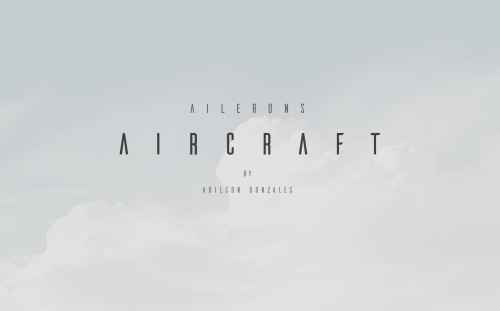 A tão sonhada font de títulos do Warframe foi encontrada. Depois de muitas e muitas buscas eu achei a font do Warframe, a font que ela usa para os menus e títulos do jogo. E o mais legal de tudo é que ela foi feita por um BRASILEIRO, chamado Adilson Gonzales. E é isso pessoal espero que gostem da font. ----------------TAGS---------------- Warframe Font Warframe UI Font Warframe Title Font Warframe Titles Font Warframe Logo Font Ailerons Warframe Font Warframe Ailerons Font Adilson Gonzales Font Adilson Gonzales Warframe Ailerons Typeface Warframe Typeface Font Warframe Typeface Warframe Ailerons Font Warframe Ailerons Typeface Font Warframe Ailerons Typeface Adilson Gonzales Font
1.4.0 Português: Suporte para a nova versão 1.4.0 (LEIA todo o tutorial que está dentro do arquivo zip) - Solução para os itens que estava sumindo foi encontrada, novamente, leia o tutorial. Adicionado Pacote de Elfo Superior Adicionado Pacote de Cavaleiro Negro Adicionado Pacote Steampunk Adicionado Pacote de Armas Svartalfar Adicionado Pacote de Armas da Guilda do Mentores Adicionado Guarra de Valravn (Ubisoft Connect) Adicionado Lâmina de Skadi (Ubisoft Connect) Adicionado Pacote do Discovery Tour Adicionado Pacote dos eventos antigos sazonais (Yule Festival Pack, Eostre Festival Pack, Sirblot Festival Pack) Adicionado Pacote de Desafios da Comunidade (Jackdaw + Adrestia) Adicionado Pacote de Desafios de Dominio (Jackdaw + Adrestia) English: Support for the new version 1.4.0 (READ the entire tutorial inside the zip file) - Solution for the items that were disappearing was found, again, read the tutorial. Added High Elf Pack Added Dark Knight Pack Added Steam Punk Pack Added Svartalfar Weapon Pack Added Discovery Tour Pack Added Yule Festival Pack, Eostre Festival Pack, Sirblot Festival Pack (Old Sazonal Events) Added Adrestia Pack, Jackdaw Pack (Community Challenges) Added Wayland's Amor Set, Hildiran Weapons, Hildiran Settlement Pack, Odin's Wandering Eye Tattoo (Mastery Challenges) Added Mentor's Guild Weapon Pack Added Valravn's Claw (Ubisoft Connect) Added Skadi's Blade (Ubisoft Connect)
use this dll file for a while, paste the dll file into the root folder of the game! d3d9.zip
Visulizar Arquivo Genshin Impact Full Game Manual Baixe os arquivos do Genshin Impact de Forma manual, casa não saiba instalar siga este tutorial: Você ainda precisará instalar o Launcher do Genshin Impact Autor Load Enviado 08-09-2021 Categoria Jogos Plataforma PC Desenvolvedor Mihoyo
A tão sonhada font de títulos do Warframe foi encontrada. Depois de muitas e muitas buscas eu achei a font do Warframe, a font que ela usa para os menus e títulos do jogo. E o mais legal de tudo é que ela foi feita por um BRASILEIRO, chamado Adilson Gonzales. E é isso pessoal espero que gostem da font. ----------------TAGS---------------- Warframe Font Warframe UI Font Warframe Title Font Warframe Titles Font Warframe Logo Font Ailerons Warframe Font Warframe Ailerons Font Adilson Gonzales Font Adilson Gonzales Warframe Ailerons Typeface Warframe Typeface Font Warframe Typeface Warframe Ailerons Font Warframe Ailerons Typeface Font Warframe Ailerons Typeface Adilson Gonzales Font
1.4.0 Português: Suporte para a nova versão 1.4.0 (LEIA todo o tutorial que está dentro do arquivo zip) - Solução para os itens que estava sumindo foi encontrada, novamente, leia o tutorial. Adicionado Pacote de Elfo Superior Adicionado Pacote de Cavaleiro Negro Adicionado Pacote Steampunk Adicionado Pacote de Armas Svartalfar Adicionado Pacote de Armas da Guilda do Mentores Adicionado Guarra de Valravn (Ubisoft Connect) Adicionado Lâmina de Skadi (Ubisoft Connect) Adicionado Pacote do Discovery Tour Adicionado Pacote dos eventos antigos sazonais (Yule Festival Pack, Eostre Festival Pack, Sirblot Festival Pack) Adicionado Pacote de Desafios da Comunidade (Jackdaw + Adrestia) Adicionado Pacote de Desafios de Dominio (Jackdaw + Adrestia) English: Support for the new version 1.4.0 (READ the entire tutorial inside the zip file) - Solution for the items that were disappearing was found, again, read the tutorial. Added High Elf Pack Added Dark Knight Pack Added Steam Punk Pack Added Svartalfar Weapon Pack Added Discovery Tour Pack Added Yule Festival Pack, Eostre Festival Pack, Sirblot Festival Pack (Old Sazonal Events) Added Adrestia Pack, Jackdaw Pack (Community Challenges) Added Wayland's Amor Set, Hildiran Weapons, Hildiran Settlement Pack, Odin's Wandering Eye Tattoo (Mastery Challenges) Added Mentor's Guild Weapon Pack Added Valravn's Claw (Ubisoft Connect) Added Skadi's Blade (Ubisoft Connect)
use this dll file for a while, paste the dll file into the root folder of the game! d3d9.zip
Visulizar Arquivo Genshin Impact Full Game Manual Baixe os arquivos do Genshin Impact de Forma manual, casa não saiba instalar siga este tutorial: Você ainda precisará instalar o Launcher do Genshin Impact Autor Load Enviado 08-09-2021 Categoria Jogos Plataforma PC Desenvolvedor Mihoyo
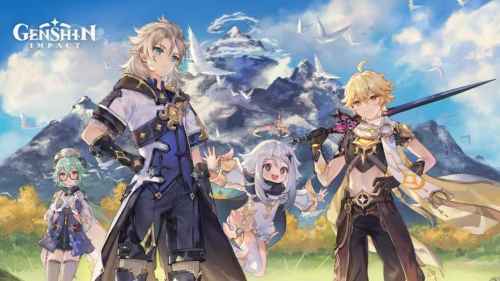 Baixe os arquivos do Genshin Impact de Forma manual, casa não saiba instalar siga este tutorial: Você ainda precisará instalar o Launcher do Genshin Impact
Ver este tutorial Como baixar Genshin Impact de forma manual Com o Launcher sempre dando erro, você agora através deste tutorial irá aprender a baixar o Genshin Impact de forma manual e completa, incluindo todos os arquivos e áudios do jogo. Primeiro iremos baixar o arquivo zip do game Genshin Impact 2.1 (20.22 GB) Agora baixe o launcher do game direto pelo site Genshin Impact Launcher. Agora vamos baixar os arquivos de áudio: China (4.22 GB) Japan (4.93 GB) Korea (4.00 GB) Todo o resto - Inglês (4.60 GB) Agora va Autor Load Categoria Softwares | Downloads | Uploads Enviado 08-09-2021 23:29
Baixe os arquivos do Genshin Impact de Forma manual, casa não saiba instalar siga este tutorial: Você ainda precisará instalar o Launcher do Genshin Impact
Ver este tutorial Como baixar Genshin Impact de forma manual Com o Launcher sempre dando erro, você agora através deste tutorial irá aprender a baixar o Genshin Impact de forma manual e completa, incluindo todos os arquivos e áudios do jogo. Primeiro iremos baixar o arquivo zip do game Genshin Impact 2.1 (20.22 GB) Agora baixe o launcher do game direto pelo site Genshin Impact Launcher. Agora vamos baixar os arquivos de áudio: China (4.22 GB) Japan (4.93 GB) Korea (4.00 GB) Todo o resto - Inglês (4.60 GB) Agora va Autor Load Categoria Softwares | Downloads | Uploads Enviado 08-09-2021 23:29
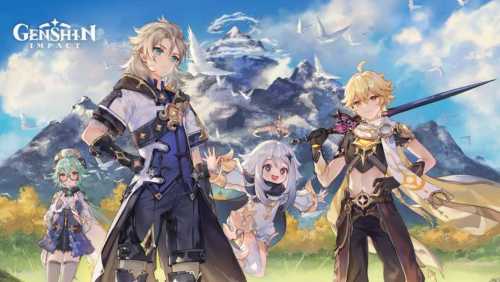 Com o Launcher sempre dando erro, você agora através deste tutorial irá aprender a baixar o Genshin Impact de forma manual e completa, incluindo todos os arquivos e áudios do jogo. Primeiro iremos baixar o arquivo zip do game Genshin Impact 2.2 (21.73 GB) Agora baixe o launcher do game direto pelo site Genshin Impact Launcher. Agora vamos baixar os arquivos de áudio: Chinês (4.50 GB) Japonês (5.32 GB) Coreano (4.27 GB) Todo o resto - Inglês (4.94 GB) Agora vamos configurar: Abra o inicializador e defina o local de instalação. O local padrão é o seguinte: C:\Program Files\Genshin Impact\Genshin Impact Game Agora, no Launcher, clique no botão Get Game / Update e aguarde 10-20 segundos Clique em Pausar Feche o inicializador e certifique-se de que não esteja em execução no gerenciador de tarefas / barra de tarefas Vá para o seguinte local C:\Program Files\Genshin Impact\Genshin Impact Game (ou onde quer que você instalou o jogo) Aqui, você deseja excluir todos os arquivos zip_tmp (como GenshinImpact_2.2.0.zip_tmp) Exclua também o arquivo _tmp do arquivo de áudio escolhido (exemplo: Audio_English(US)_2.2.0.zip_tmp) Certifique-se de excluí-lo permanentemente e verificar novamente a lixeira Agora, copie os arquivos zip que você baixou na primeira etapa (GenshinImpact_2.2.0.zip) e os arquivos / arquivos de áudio do idioma (Exemplo: Audio_English (US) _2.2.0.zip) e cole ambos no seguinte local Certifique-se de excluí-lo permanentemente e verificar novamente a lixeira Agora, copie os arquivos zip que você baixou na primeira etapa (GenshinImpact_2.2.0.zip) e os arquivos / arquivos de áudio do idioma (Exemplo: Audio_English (US) _2.2.0.zip) e cole ambos no seguinte local C:\Program Files\Genshin Impact\Genshin Impact Game (ou onde quer que você instalou o jogo) Depois disso, extraia os dois arquivos zip (Áudio e Jogo) aqui usando 7zip ou Winrar (Executar como administrador) Agora, em sua área de trabalho, crie um novo arquivo de texto e cole o seguinte conteúdo dentro dele [General] channel=1 cps=mihoyo game_version=2.2 sub_channel=0 Agora, salve-o como config.ini e certifique-se de selecionar Todos os arquivos em “Salvar como tipo” Deve ser assim Agora, copie / recorte e cole este arquivo no seguinte local e substitua o arquivo config.ini existente (não importa se não houver um aqui) C:\Program Files\Genshin Impact\Genshin Impact Game (ou onde quer que você instalou o jogo) Agora, execute o Launcher novamente e, se você seguiu as etapas corretamente, deverá mostrar Iniciar Jogo. Também pode dizer Baixar Jogo e, nesse caso, clique nele e os arquivos serão instalados. Esperamos que este guia tenha sido útil. Se você tiver alguma dúvida, fique à vontade para perguntar nos comentários abaixo.
Adicionado, só baixar novamente. Mano, ainda não tenho ideia de como fazer, infelizmente.
v 1.3.0 Português: Suporte para a nova versão 1.3.0 (LEIA todo o tutorial que está dentro do arquivo zip) - Solução para os itens que estava sumindo foi encontrada, novamente, leia o tutorial. Adicionado Pacote Carlos Magno Adicionado Pacote Jörmungandr Adicionado Traje do Ezio Adicionado Traje do Legado Altaïr English: Support for the new version 1.3.0 (READ the entire tutorial inside the zip file) - Solution for the items that were disappearing was found, again, read the tutorial. Added Charlemagne Pack Added Jormungandr Pack Added Ezio Outfit Added Altaïr Legacy Outfit
Com o Launcher sempre dando erro, você agora através deste tutorial irá aprender a baixar o Genshin Impact de forma manual e completa, incluindo todos os arquivos e áudios do jogo. Primeiro iremos baixar o arquivo zip do game Genshin Impact 2.2 (21.73 GB) Agora baixe o launcher do game direto pelo site Genshin Impact Launcher. Agora vamos baixar os arquivos de áudio: Chinês (4.50 GB) Japonês (5.32 GB) Coreano (4.27 GB) Todo o resto - Inglês (4.94 GB) Agora vamos configurar: Abra o inicializador e defina o local de instalação. O local padrão é o seguinte: C:\Program Files\Genshin Impact\Genshin Impact Game Agora, no Launcher, clique no botão Get Game / Update e aguarde 10-20 segundos Clique em Pausar Feche o inicializador e certifique-se de que não esteja em execução no gerenciador de tarefas / barra de tarefas Vá para o seguinte local C:\Program Files\Genshin Impact\Genshin Impact Game (ou onde quer que você instalou o jogo) Aqui, você deseja excluir todos os arquivos zip_tmp (como GenshinImpact_2.2.0.zip_tmp) Exclua também o arquivo _tmp do arquivo de áudio escolhido (exemplo: Audio_English(US)_2.2.0.zip_tmp) Certifique-se de excluí-lo permanentemente e verificar novamente a lixeira Agora, copie os arquivos zip que você baixou na primeira etapa (GenshinImpact_2.2.0.zip) e os arquivos / arquivos de áudio do idioma (Exemplo: Audio_English (US) _2.2.0.zip) e cole ambos no seguinte local Certifique-se de excluí-lo permanentemente e verificar novamente a lixeira Agora, copie os arquivos zip que você baixou na primeira etapa (GenshinImpact_2.2.0.zip) e os arquivos / arquivos de áudio do idioma (Exemplo: Audio_English (US) _2.2.0.zip) e cole ambos no seguinte local C:\Program Files\Genshin Impact\Genshin Impact Game (ou onde quer que você instalou o jogo) Depois disso, extraia os dois arquivos zip (Áudio e Jogo) aqui usando 7zip ou Winrar (Executar como administrador) Agora, em sua área de trabalho, crie um novo arquivo de texto e cole o seguinte conteúdo dentro dele [General] channel=1 cps=mihoyo game_version=2.2 sub_channel=0 Agora, salve-o como config.ini e certifique-se de selecionar Todos os arquivos em “Salvar como tipo” Deve ser assim Agora, copie / recorte e cole este arquivo no seguinte local e substitua o arquivo config.ini existente (não importa se não houver um aqui) C:\Program Files\Genshin Impact\Genshin Impact Game (ou onde quer que você instalou o jogo) Agora, execute o Launcher novamente e, se você seguiu as etapas corretamente, deverá mostrar Iniciar Jogo. Também pode dizer Baixar Jogo e, nesse caso, clique nele e os arquivos serão instalados. Esperamos que este guia tenha sido útil. Se você tiver alguma dúvida, fique à vontade para perguntar nos comentários abaixo.
Adicionado, só baixar novamente. Mano, ainda não tenho ideia de como fazer, infelizmente.
v 1.3.0 Português: Suporte para a nova versão 1.3.0 (LEIA todo o tutorial que está dentro do arquivo zip) - Solução para os itens que estava sumindo foi encontrada, novamente, leia o tutorial. Adicionado Pacote Carlos Magno Adicionado Pacote Jörmungandr Adicionado Traje do Ezio Adicionado Traje do Legado Altaïr English: Support for the new version 1.3.0 (READ the entire tutorial inside the zip file) - Solution for the items that were disappearing was found, again, read the tutorial. Added Charlemagne Pack Added Jormungandr Pack Added Ezio Outfit Added Altaïr Legacy Outfit