Ir para conteúdo
View in the app

A better way to browse. Learn more.

GGames Fórum

A full-screen app on your home screen with push notifications, badges and more.

To install this app on iOS and iPadOS
  1. Tap the Share icon in Safari
  2. Scroll the menu and tap Add to Home Screen.
  3. Tap Add in the top-right corner.
To install this app on Android
  1. Tap the 3-dot menu (⋮) in the top-right corner of the browser.
  2. Tap Add to Home screen or Install app.
  3. Confirm by tapping Install.

Líderes

Conteúdo Popular

Exibindo conteúdo com a maior reputação em 25/10/2023 em todas áreas

  1. 1 ponto
    Prefiro acelerator plus, mas esse tem boa interface e facil de usar.
  2. 1 ponto
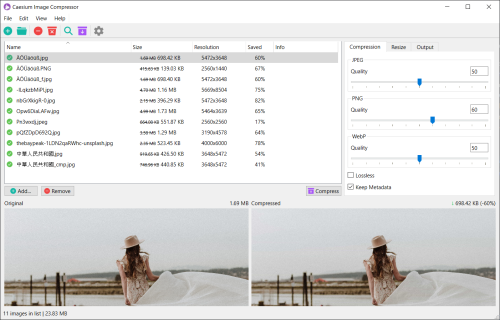
    Util e com interface simples
    Bom pra compactar aquela imagem de resolução alta e não vai no email.
    Funcionou em um galaxy antigo aqui também.
    Exelente para pessoas que estão com o espaço do hd transbordando de conteúdo e tem que reduzir isso de alguma forma mas sem jogar fora kkkkkkk
  3. 1 ponto
    Parece ser uma boa. Isso vai me poupar muito trabalho.
Líderes está configurado para São Paulo/GMT-03:00

Configure browser push notifications

Chrome (Android)
  1. Tap the lock icon next to the address bar.
  2. Tap Permissions → Notifications.
  3. Adjust your preference.
Chrome (Desktop)
  1. Click the padlock icon in the address bar.
  2. Select Site settings.
  3. Find Notifications and adjust your preference.