


Líderes
.gif.1ecb77ab2004a6ea875a6cabe4f38887.gif)


Conteúdo Popular
Exibindo conteúdo com a maior reputação em 09/08/23 em todas áreas
-
1 ponto
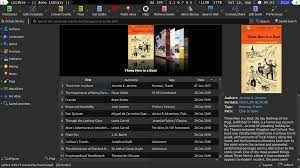 Calibre é um pacote de ferramentas para manipulação de livros eletrônicos, livre e multiplataforma. Ele faz o gerenciamento dos livros em bibliotecas virtuais, permitindo a exibição, edição, criação e conversão dos arquivos, bem como a sincronização com uma grande variedade de leitores de livros digitais.1 ponto
 -
1 ponto
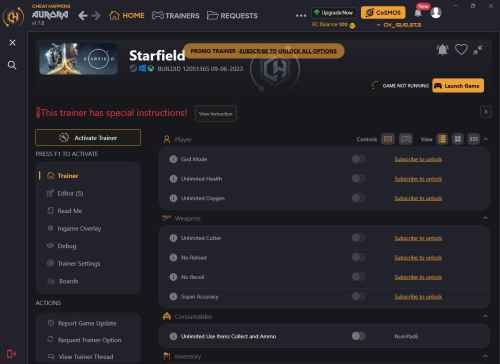 Activating this trainer If not state otherwise below, press F1 at main menu. Listen for 'Trainer Activated'. Press desired hotkey. All hotkeys can be changed on the trainer. Trainer Options # Player NumPad1: God Mode NumPad2: Unlimited Health NumPad3: Unlimited Oxygen # Weapons NumPad4: Unlimited Cutter NumPad5: No Reload NumPad6: No Recoil NumPad7: Super Accuracy # Consumables NumPad8: Unlimited Use Items Collect and Ammo # Inventory NumPad9: Mega Inventory Max Mass Multiply: No Inventory Weight # Equipment Add: Unlimited Jetpack # Enemies Subtract: Enemies Don't Attack Decimal: Weak Targeted Enemies # Ship Divide: Unlimited Boost F1: Unlimited Ship Weapons Energy F2: Super Shields F3: Max Ship Defense Systems Power F4: Max Ship Weapon Systems Power # Enemy Ship F5: Weak Enemy Shields # Progression F6: Easy Skill Rank Up Completed Challenges # Interaction F7: Easy Persuade # Crafting and Research F8: Allow Research F9: Simple Research F10: No Cooking or Crafting Requirements F11: Easy Build # Locks F12: Easy Unlock Doors # Gameplay F13: Game Speed # Ship Design F14: Ignore Ship Design Errors Editor Options # Player Progression Current XP Skill Points # Currency Credits # Ship Design Maximum Ship Design Modules # Ship Max Power Notes Probably best to leave SHIP OPTIONS toggled OFF when not in the SHIP. God Mode: This powerful option does many things other than just making you invincible. No Inventory Weight: You may have to swap helmet or weapon or something to make the value change. Easy Skill Rank Up Completed Challenges: Toggle on then enter Skills screen then when you want to RANK UP each skill, the challenges are completed and you can rank up. Allow Research: Requirements are ignored. Simple Research: You will need less materials to complete research. You will need at least ONE of the materials. No Cooking or Crafting Requirements: You can craft or cook and won't need materials, and many times won't need requirements. Easy Build: Toggle on while you can see the Items you can BUILD (i.e. the INDUSTRIAL BENCH etc.) and you can build things even if you don't have the materials. TOGGLE BACK OFF ONCE BUILDING ITEMS. Player Progression' Current XP: Player Progression' Skill Points: Earn some XP then you can see the value here and then edit it. Next XP earned will update the visual of it in the game. Credits: You must have at least ONE Credit.1 ponto
 -
1 pontoachei que ia ser fácil virar membro kkkkk, devo ter feito algo errado kkkkk1 ponto
-
1 pontoCara que fórum sensacional !!! Como eu vivia antes de conhecer esse site? KKKKk nem quero lembrar...1 ponto
-
1 pontoMe cadastrei a pouco, estou curtindo muito. Espero poder desfrutar ao máximo do conteúdo.1 ponto
-
1 pontoAcabei de conhecer o Frames é estou adorando... Tomara que muito em breve me torne membro...1 ponto
-
1 pontoTomara que eu vire membro logo? Tomara que eu vire membro logo?1 ponto


Líderes está configurado para São Paulo/GMT-03:00