


Líderes





.thumb.jpg.41c567a7761f722067e8448f27bcafe0.jpg)
Conteúdo Popular
Exibindo conteúdo com a maior reputação em 07/28/21 em todas áreas
-
Bons amigos do fórum, desta vez eu queria compartilhar alguns sites que são Geradores Premium, ou seja, são sites onde você pode transformar livremente os links de download de quase qualquer servidor de download em um link premium, que pode baixar até mesmo com o IDM e velocidade máxima. Estas são as características típicas de um gerador premium gratuito e eu digo gratuito, porque a versão paga do gerador não tem limitações no download, por isso aqui vou colocar tudo o que há para saber sobre geradores premium: Os geradores premium contêm encurtadores (adf.ly, Ouo.io, Shink.in, etc.), isto é para custar a parte gratuita do download e geralmente são como 4 encurtadores que têm que enfrentar para poder baixar o link. Felizmente, existem extensões como um skipper ou um bypass universal que permitem pular estes encurtadores. Os geradores têm muita publicidade, então eles têm que estar preparados com um bom bloqueador de publicidade. Há encurtadores nos quais eles terão que se registrar para baixar qualquer link de download que desejarem. Os geradores dos quais você pode baixar gratuitamente geralmente têm limitações, estas podem limitar o tamanho do download de um arquivo ou apenas limitar o número de servidores de download dos quais você pode baixar ou ambos, entre outras limitações. Alguns geradores só permitem o download com o próprio ip e não permitem o uso de VPN. Às vezes os downloads não são realizados ou arquivos de 0 kb são emitidos, isto pode ser um problema do gerador, mas também pode ser porque o servidor apagou o arquivo ou porque eles estão usando VPN. Estes são os melhores geradores premium gratuitos, eu os testei pessoalmente e sei que funcionam: [hide] https://fakirdebrid.net/index.php https://leech.ninja/ https://hungryleech.com/generate-premium-link https://www.uploadedpremiumlink.net/ https://www.deepbrid.com/service https://leechall.com/ https://cocoleech.com/ [/hide] Antes de fazer o download de qualquer gerador premium, verifique se o gerador que você está usando tem um servidor de download gratuito, veja também quantos MB ou GB podem ser baixados dele, para que você não tenha problemas com o download. Créditos: Fudpoclocktan - TheToonz
 1 ponto
 -
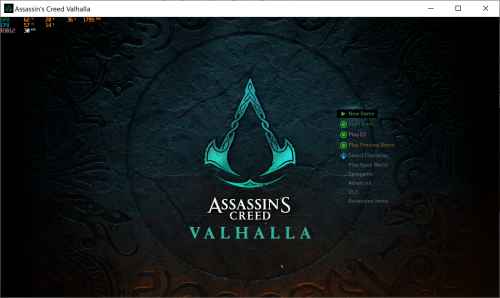 Tutorial Assassin's Creed Valhalla.pdf Esta tabela permite adicionar itens por ID, vai ajudar quem deseja adquirir equipamentos para o Helix e muito mais. +Inventory +Inventory: GetItem +Single GetItem +Bulk GetItem (packs, quests, materials) +Unlock All Crafting Materials, Arrows, Consumable +Get 3pcs of All Fish Species +Get 10pcs of All Hunter's Hut materials +Get All GodPower Cards for Orlog minigame +F2 / Get 5pcs of Rations ------------------------------- +Get Vinland Gear (8pcs) +Get Valkyrie Pack (24pcs) +Get Huldufolk Pack (24pcs) +Get Draugr Pack (24pcs) +Get Berserker Pack (24pcs) +Get Hel's Damnation Pack (24pcs) +Get Einherjar Pack Pack (24pcs) +Get Gothic Pack (24pcs) +Get Niflheim Pack (24pcs) +Inventory: EditQuantity +Inventory: EditItem +Boosters +Complete Map Pack +Permanent Boost Pack Remove Horse Speed Limit Instant win, Drinking Challenge Quick win, Orlog minigame Open Shop Directly Blacksmith: I want to upgrade my Gear. Trading Post: May I see your stores? Trading Post America: (See Shop) Reda's Shop: (See Shop) Reda's Shop: I want a contract Stable and Aviary: Let me see your stock. Stable and Aviary: I want to train my mount. Shipyard: (See Shop.) Festival Shop: Yes, please show me the items. Tattoo Shop: (Change Hair and Tattoos) Cartographer: I'd like to see your shop. Hunter's Hut: (Legendary Animals) Hunter's Hut: (Hunter Delivery) Barracks: Summon my Jomsviking. Barracks: I want to manage my Crew. Fishing Hut: I bought you a few things. Other: Easter Egg. Show Sad Kitten Other: Open Debug Menu (wait ~10sec after activation) Hash list: https://docs.google.com/spreadsheets/d/1xvljYOJVyCXuZKNCKOxDWFxjcLEYMgr-1MjBulIkE0c/edit#gid=458733988 Original hash list (russian): https://docs.google.com/spreadsheets/d/1xvljYOJVyCXuZKNCKOxDWFxjcLEYMgr-1MjBulIkE0c/ Assassin's Creed Valhalla - Inventory Editor - Helix Items - Load https://ggames.com.br/files/file/2283-assassins-creed-valhalla-inventory-editor-helix-items-load/ --Tags-- Assassin's Creed Valhalla - Inventory Editor - Helix Items - budabum Assassin's Creed Valhalla Inventory Editor - Helix Items - budabum Assassin's Creed Valhalla Inventory Editor Helix Items - budabum Assassin's Creed Valhalla Inventory Editor Helix Items budabum Assassin's Creed Valhalla Inventory Editor Assassin's Creed Valhalla Helix Items budabum budabum Assassin's Creed Assassin's Creed budabum Assassin's Creed Valhalla Assassin's Creed Valhalla Cheat Engine Assassin's Creed Valhalla Hacks Assassin's Creed Valhalla Tables Assassin's Creed® Valhalla - InventoryEditor Assassin's Creed® Valhalla InventoryEditor Assassin's Creed® Valhalla Inventory Editor Assassin's Creed® Valhalla - Inventory Editor Assassins Creed Valhalla Cheat Engine Spreadsheet Inventory Editor Budabum Assassin's Creed® Valhalla Cheat Engine Spreadsheet Inventory Editor Budabum Assassin's Creed® Valhalla Cheat Helix Assassin's Creed® Valhalla Cheat Helix Items Assassin's Creed Valhalla Cheat Helix Assassin's Creed Valhalla Cheat Helix Items Assassin's Creed Valhalla Cheat Helix Map Assassin's Creed Valhalla Opala Cheat Assassin's Creed Valhalla Boost Map Assassin's Creed Valhalla Booster Map Assassin's Creed Valhalla Bonus Pack Assassin's Creed Valhalla 1.1.2 Assassin's Creed® Valhalla - InventoryEditor 1.1.2 Bypass Assassin's Creed Valhalla 1.5.2 Assassin's Creed Valhalla Season Pass Assassin's Creed Valhalla Siege of Paris Assassin's Creed Valhalla Wrath of the Druids Assassin's Creed Valhalla - Season Pass Assassin's Creed Valhalla - Siege of Paris Assassin's Creed Valhalla - Wrath of the Druids Assassin's Creed Valhalla - Dawn of Ragnarok1 ponto
 -
 Firstly, I love this table. It's worked brilliantly for me so far and it makes the game much more fun. I did encounter one major issue though: the Premium Starter Pack does not seem to be working in the newest Valhalla update. I'll provide some background info to help troubleshoot. I'm currently playing Valhalla on patch 1.2.0, the newest update as of the time of writing this comment. I'm also using the table update 1.1.2 v1, which appears to be working in most aspects. I have both the "patch file" (where it creates a .bak backup file) and the "alternative method" (where you copy the d3d9.dll file into the game files) running, so I have the d3d9.dll file in the game files and the .bak backup copy working simultaneously. There seems to be no issues so far with the two working together by the way. However, my issue comes from the Premium Starter Pack, which I had before patch 1.2.0 (even when the other helix items disappeared the Premium Starter Pack stayed and I used it in the River Raids). Sadly those items seem to have been removed with the newest patch 1.2.0, and even with the d3d9.dll file installed and the .bak backup running the items won't stay in my game. I've followed the tutorial to ensure I'm doing everything properly, but there could absolutely be user error involved since I'm new to cheat tables. I've brought the items into my game a few times now, but when I close and reopen the game they are gone (the other helix items that I got before patch 1.2.0 are still there though, it's just the Premium Starter Pack giving me trouble). Do you have any suggestions to fix this? Or will the table be updated to work with patch 1.2.0 and add some of the newer helix packs (like the Taranis pack)? Also a quick note: the Large Silver Pack seems to be coded to give the Medium Silver Pack in-game, so it gives 1500 silver instead of 6000. Not a huge deal, just something I noticed. Thank your for all of your hard work and help!1 ponto
 -
Já conhecia todos, o único que funciona de verdade é o [hide] https://www.uploadedpremiumlink.net/. [/hide] Mesmo assim ele é muito limitado, para desbloquear mais recursos tem que ser premium.1 ponto


Líderes está configurado para São Paulo/GMT-03:00