


Líderes


Conteúdo Popular
Exibindo conteúdo com a maior reputação em 02/13/21 em %
-
1 ponto
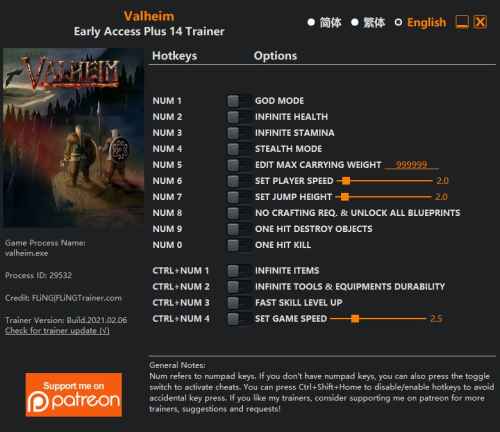 OPTIONS Num 1 – God Mode Num 2 – Infinite Health Num 3 – Infinite Stamina Num 4 – Stealth Mode Num 5 – Edit Max Carrying Weight Num 6 – Set Player Speed Num 7 – Set Jump Height Num 8 – No Crafting Requirements & Unlock All Blueprint Num 9 – One Hit Destroy Objects Num 0 – One Hit Kill Ctrl+Num 1 – Infinite Items Ctrl+Num 2 – Infinite Tools & Equipments Durability Ctrl+Num 3 – Fast Skill Level Up Ctrl+Num 4 – Set Game Speed NOTES “Set Jump Height”: Note you may receive fall damage, use with “God Mode” or “Infinite Health”. “Fast Skill Level Up”: When activated, your skills will level up every time they gain XP.1 ponto
Líderes está configurado para São Paulo/GMT-03:00