


Líderes


Conteúdo Popular
Exibindo conteúdo com a maior reputação em 11/19/20 em %
-
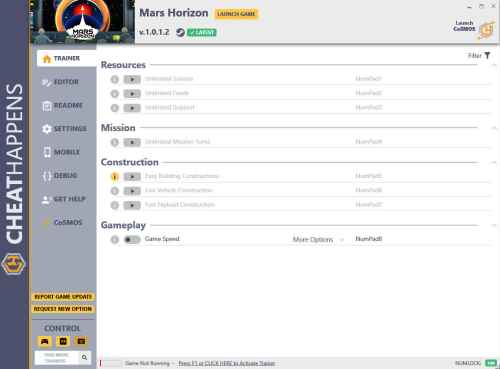 Activating this trainer If not state otherwise below, press F1 at main menu. Listen for 'Trainer Activated'. Press desired hotkey. All hotkeys can be changed on the trainer. Promo Options NumPad8: Game Speed Trainer Options # Resources NumPad1: Unlimited Science NumPad2: Unlimited Funds NumPad3: Unlimited Support # Mission NumPad4: Unlimited Mission Turns # Construction NumPad5: Easy Building Constructions NumPad6: Fast Vehicle Construction NumPad7: Fast Payload Construction # Gameplay NumPad8: Game Speed Editor Options # Agency Stats Funding Tier Science Funds Support Science Income Multiplier Funds Income Multiplier Monthly Income Multiplier Research Cost Multiplier Task Requirement Multiplier Government Funding Era Mission Research Era Vehicle Research Era Base Research Era1 ponto
Líderes está configurado para São Paulo/GMT-03:00