


Líderes
-

Renato Ribeiro
VIP Vitalício1Pontos1110Postagens -
Priscila
Membro1Pontos96Postagens -
DuhNascimento
Membro1Pontos59Postagens


Conteúdo Popular
Exibindo conteúdo com a maior reputação em 07/26/20 em %
-
1 ponto
 A fonte Harry Potter contém o estilo da escrita utilizado no filme Harry Potter.1 ponto
 -
1 ponto
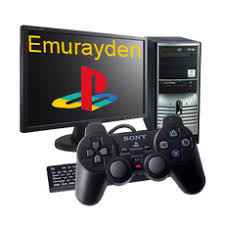 Emurayden é um emulador de Playstation que foi projetado para executar jogos do console em seu computador. O videogame criado pela Sony foi o mais bem sucedido da era 32 bits durante a década de 90. Foram milhares de títulos lançados para o console, como Winning Eleven, Tony Hawk's, Final Fantasy, Tekken e muitos outros. Agora com este emulador você poderá reviver os tempos em que se divertia com o videogame, utilizando o poder de seu computador.1 ponto
 -
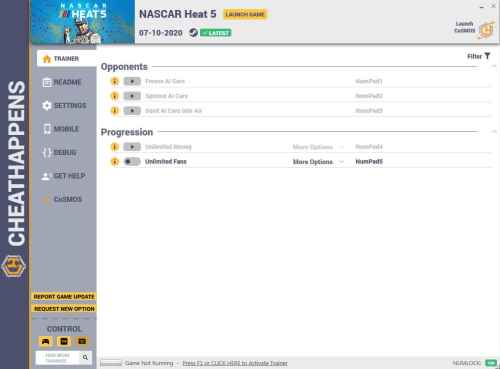 NASCAR HEAT 5: TRAINER +5 V1.0 {CHEATHAPPENS.COM} Activating this trainer If not state otherwise below, press F1 at main menu. Listen for 'Trainer Activated'. Press desired hotkey. All hotkeys can be changed on the trainer. Promo Options NumPad5: Unlimited Fans Trainer Options # Opponents NumPad1: Freeze AI Cars NumPad2: Spinout AI Cars NumPad3: Send AI Cars into Air # Progression NumPad4: Unlimited Money NumPad5: Unlimited Fans Notes Unlimited Fans: Toggle on then enter Career, then leave career, then come back and its changed. The value can be set in the trainer.1 ponto
Líderes está configurado para São Paulo/GMT-03:00