





OPTIONS
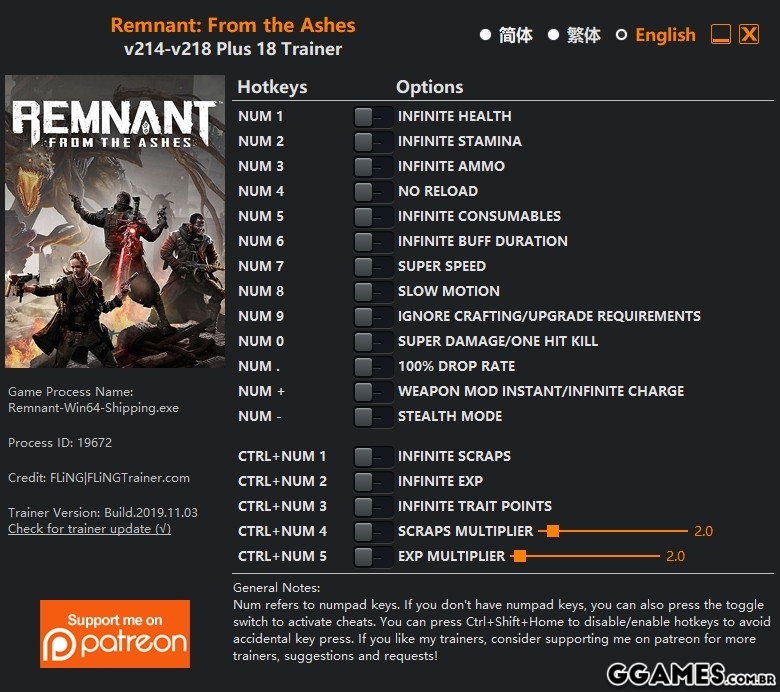
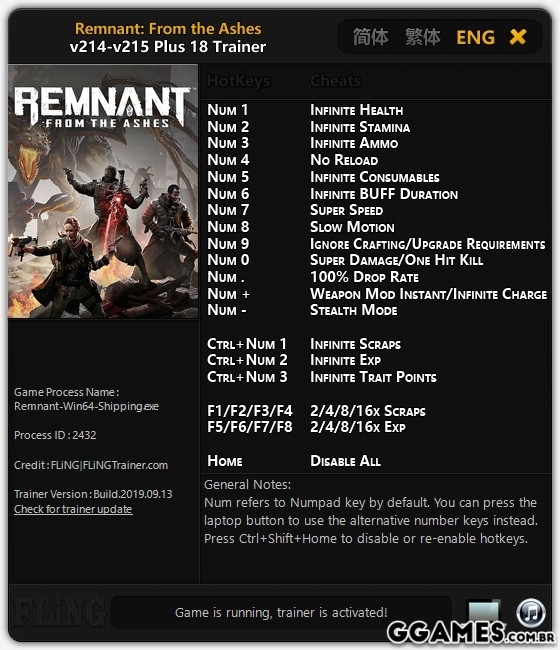
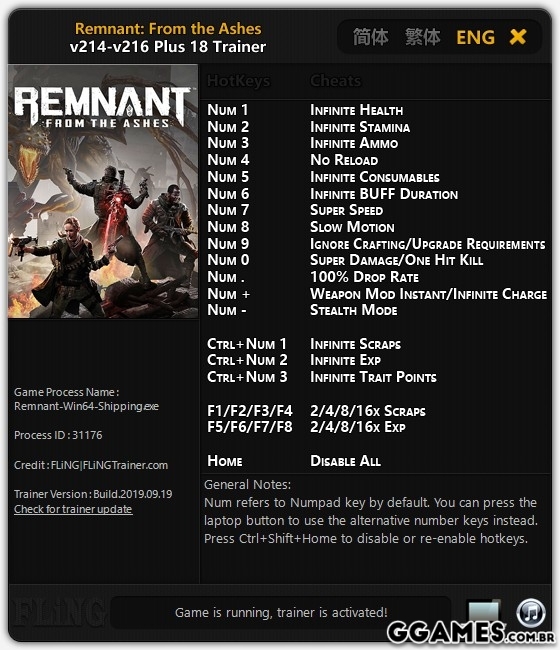
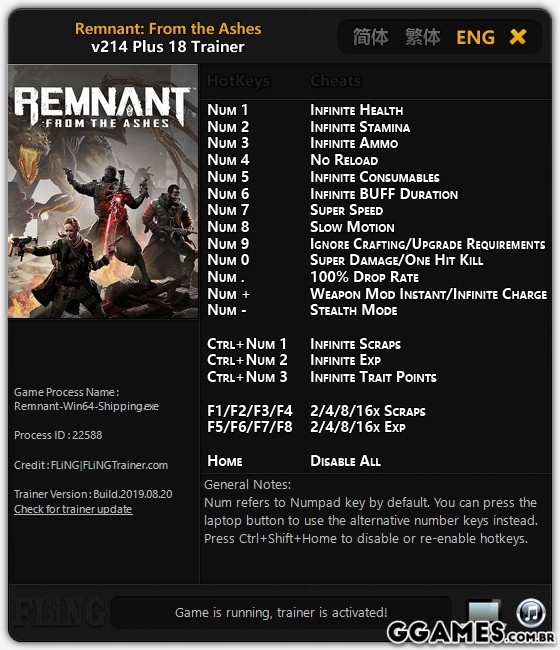
- Num 1 – Infinite Health
- Num 2 – Infinite Stamina
- Num 3 – Infinite Ammo
- Num 4 – No Reload
- Num 5 – Infinite Consumables
- Num 6 – Infinite BUFF Duration
- Num 7 – Super Speed
- Num 8 – Slow Motion
- Num 9 – Ignore Crafting/Upgrade Requirements
- Num 0 – Super Damage/One Hit Kill
- Ctrl+Num 1 – Infinite Scraps
- Ctrl+Num 2 – Infinite Exp
- Ctrl+Num 3 – Infinite Trait Points
- F1/F2/F3/F4 – 2/4/8/16x Scraps
- F5/F6/F7/F8 – 2/4/8/16x Exp
- Home – Disable All
NOTAS
"Infinite Health", quando você receber dano, sua saúde irá restaurar ao máximo.
“Consumíveis infinitos” entrará em vigor quando você usar consumíveis.
"Infinite Scraps" entra em vigor quando você recolhe recados.
"Ignorar os requisitos de criação / atualização", você pode criar / atualizar mesmo se não tiver os materiais, mas, se tiver materiais, eles serão usados.
Boa Jogatina!
#Snikt!
O Que Há de Novo na Versão +18 V214-V218
Visualizar log de alteraçõesLançado
Não há alterações disponível para esta versão.
-
 1
1
Você só pode fornecer uma análise uma vez que você tenha baixado o arquivo.
Não há análises para mostrar