Ir para conteúdo
View in the app

A better way to browse. Learn more.

GGames Fórum

A full-screen app on your home screen with push notifications, badges and more.

To install this app on iOS and iPadOS
  1. Tap the Share icon in Safari
  2. Scroll the menu and tap Add to Home Screen.
  3. Tap Add in the top-right corner.
To install this app on Android
  1. Tap the 3-dot menu (⋮) in the top-right corner of the browser.
  2. Tap Add to Home screen or Install app.
  3. Confirm by tapping Install.

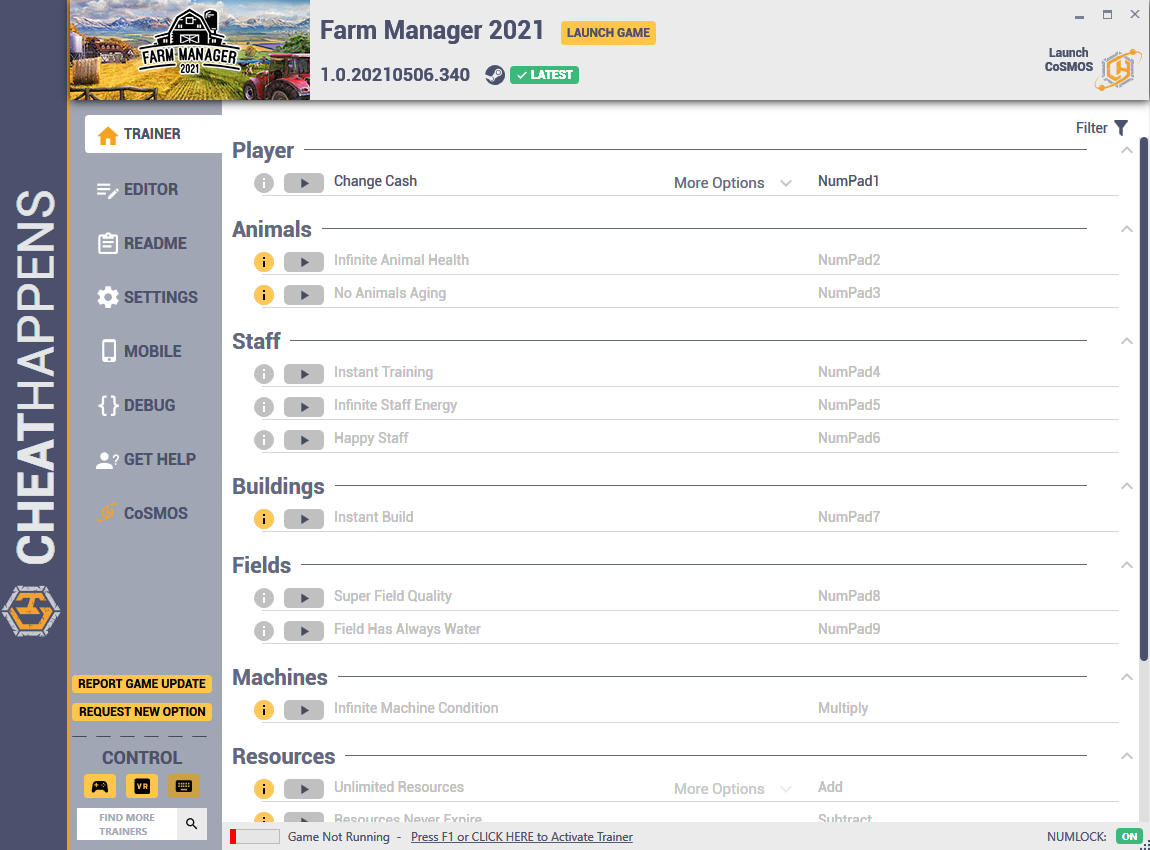
Trainer Farm Manager 2021 {CHEATHAPPENS} V1.0.20210506.340 plus 17

(0 análises)
https://g.ggames.com.br/files/file/3102-trainer-farm-manager-2021-cheathappens/

1 Screenshot

Activating this trainer

If not state otherwise below, press F1 at main menu.
Listen for 'Trainer Activated'.
Press desired hotkey. All hotkeys can be changed on the trainer.


Promo Options

NumPad1: Change Cash
F1: Super Speed
Player: Cash


Trainer Options

# Player 

  •      NumPad1: Change Cash

# Animals 

  •      NumPad2: Infinite Animal Health
  •      NumPad3: No Animals Aging

# Staff 

  •      NumPad4: Instant Training
  •      NumPad5: Infinite Staff Energy
  •      NumPad6: Happy Staff

# Buildings 

  •      NumPad7: Instant Build

# Fields 

  •      NumPad8: Super Field Quality
  •      NumPad9: Field Has Always Water

# Machines 

  •      Multiply: Infinite Machine Condition

# Resources 

  •      Add: Unlimited Resources
  •      Subtract: Resources Never Expire

# Misc 

  •      Decimal: Unlock All Buildings
  •      Divide: Unlock All Machines
  •      F1: Unlock All Resources
  •      F2: Super Speed

Editor Options

# Player 

  •      Cash
https://g.ggames.com.br/files/file/3102-trainer-farm-manager-2021-cheathappens/

Feedback do Usuário

Você só pode fornecer uma análise uma vez que você tenha baixado o arquivo.

Não há análises para mostrar

Configure browser push notifications

Chrome (Android)
  1. Tap the lock icon next to the address bar.
  2. Tap Permissions → Notifications.
  3. Adjust your preference.
Chrome (Desktop)
  1. Click the padlock icon in the address bar.
  2. Select Site settings.
  3. Find Notifications and adjust your preference.