


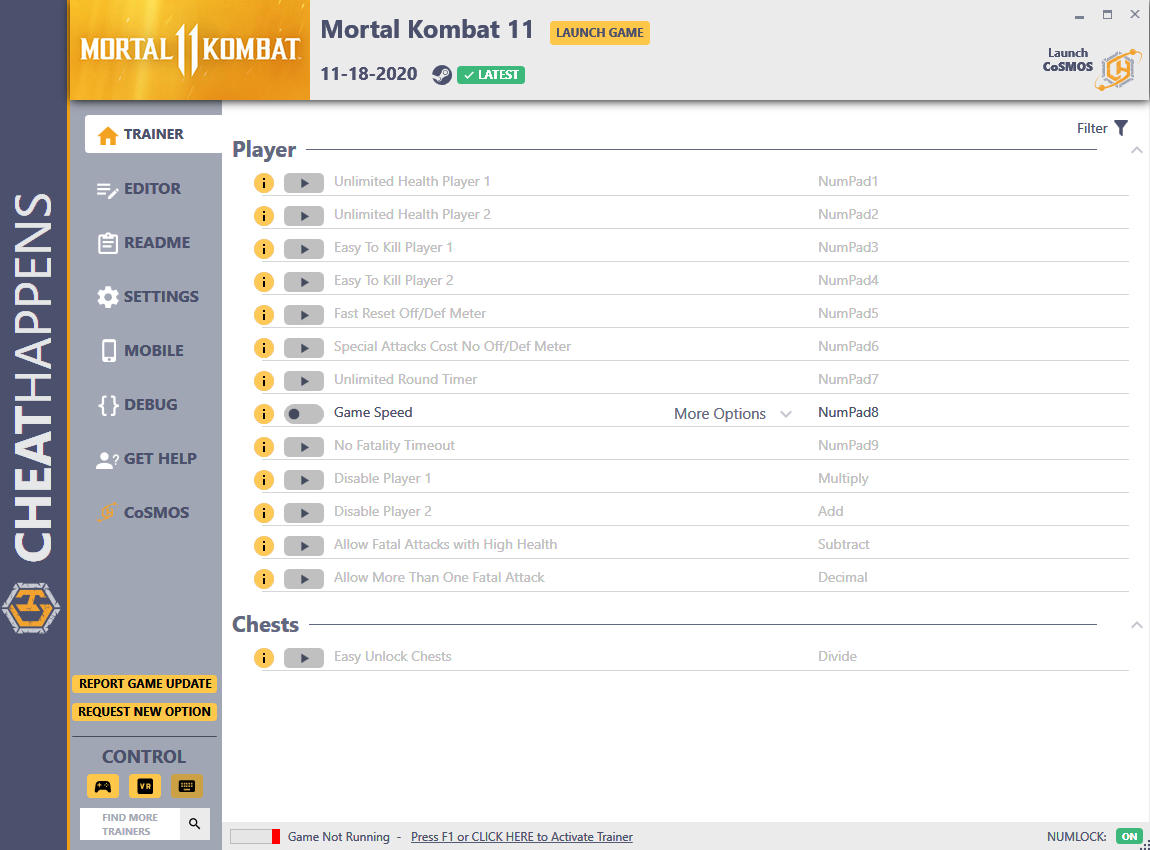
Activating this trainer:
If not state otherwise below, press F1 at main menu.
Listen for 'Trainer Activated'.
Press desired hotkey. All hotkeys can be changed on the trainer.
Promo Options:
NumPad8: Game Speed
Trainer Options:
# Player
- NumPad1: Unlimited Health Player 1
- NumPad2: Unlimited Health Player 2
- NumPad3: Easy To Kill Player 1
- NumPad4: Easy To Kill Player 2
- NumPad5: Fast Reset Off/Def Meter
- NumPad6: Special Attacks Cost No Off/Def Meter
- NumPad7: Unlimited Round Timer
- NumPad8: Game Speed
- NumPad9: No Fatality Timeout
- Multiply: Disable Player 1
- Add: Disable Player 2
- Separator: Allow Fatal Attacks with High Health
- Subtract: Allow More Than One Fatal Attack
# Chests
- Decimal: Easy Unlock Chests
Editor Options:
# Kyrpt Chests:
- Krypt Coin Cost
- Krypt Green Skull Cost
- Kyrpt Red Heart Cost
Notes:
SPECIAL INSTRUCTIONS!
This trainer is meant for OFFLINE SINGLE PLAYER USE!
Trainer no longer needs launcher.

Você só pode fornecer uma análise uma vez que você tenha baixado o arquivo.
Não há análises para mostrar