Ir para conteúdo
View in the app

A better way to browse. Learn more.

GGames Fórum

A full-screen app on your home screen with push notifications, badges and more.

To install this app on iOS and iPadOS
  1. Tap the Share icon in Safari
  2. Scroll the menu and tap Add to Home Screen.
  3. Tap Add in the top-right corner.
To install this app on Android
  1. Tap the 3-dot menu (⋮) in the top-right corner of the browser.
  2. Tap Add to Home screen or Install app.
  3. Confirm by tapping Install.

1 Screenshot

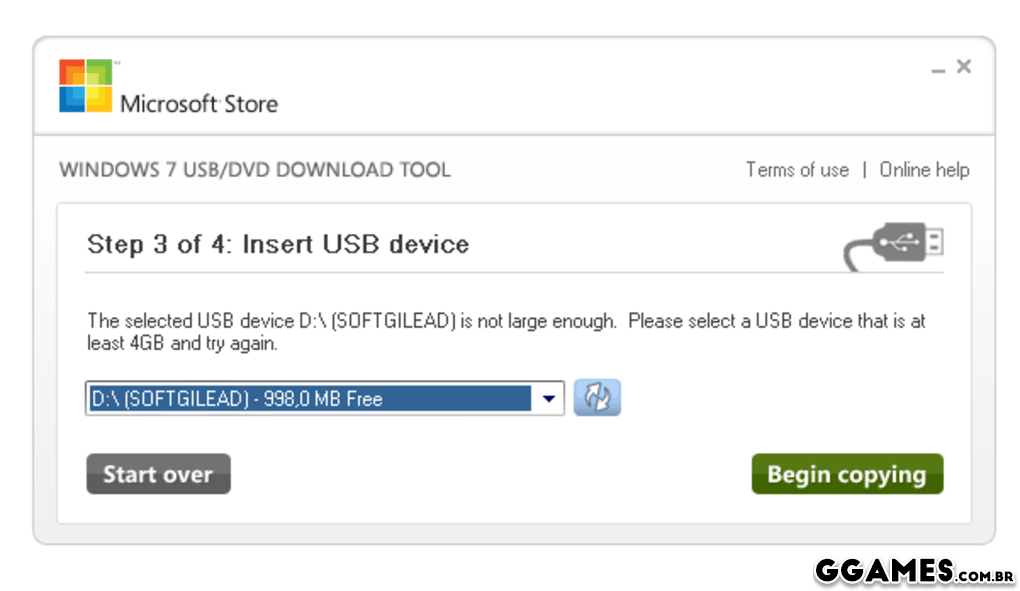
Windows 7 USB DVD Download Tool é uma ferramenta desenvolvida especialmente para descarregar a imagem ISO de instalação, que pode ser comprada online na Microsoft Store, e gravá-la para um DVD ou memória USB. Esta aplicação foi especialmente pensada para netbooks, que não incluem uma drive de DVD.

Depois de transferir o ficheiro, só tem de selecionar a imagem ISO e escolher a drive para onde a quer gravar. Tenha em atenção que a memória USB precisa de ter uma capacidade igual ou superior a 4GB, e que todo o conteúdo nela existente será eliminado.
44.png

Editado por LeandroSexy

O Que Há de Novo na Versão 1.0.0

Visualizar log de alterações

Lançado

Não há alterações disponível para esta versão.

Feedback do Usuário

Configure browser push notifications

Chrome (Android)
  1. Tap the lock icon next to the address bar.
  2. Tap Permissions → Notifications.
  3. Adjust your preference.
Chrome (Desktop)
  1. Click the padlock icon in the address bar.
  2. Select Site settings.
  3. Find Notifications and adjust your preference.